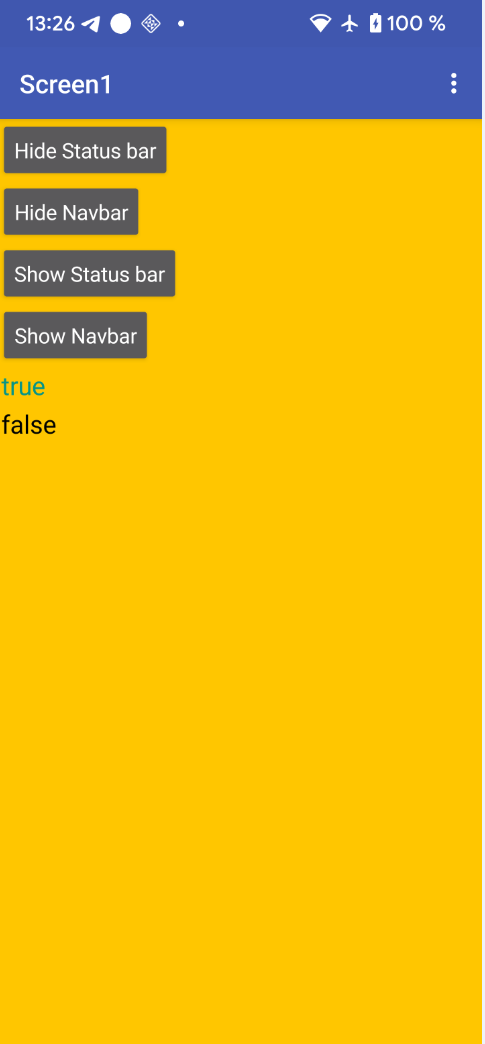
Good morning, I’ve been using Kodular for five years, I’m writing because, since the platform was compiled with SDK35, I’ve been experiencing compatibility issues with various Android features. My problem concerns the management of (Show Navigation Bar), which I don’t want to use in my application. Until now, I had this option disabled in the Screen1 settings, but since the platform was compiled with SDK35, in Android 10 versions, simply tapping the screen or showing a notification causes the Navigation Bar to appear, causing problems with the display of my application’s graphics.
Thanks in advance, and I hope you can respond to my issue.
Are you saying it started after the update? Because every app if the navigation was hidden, after touching near it (down touch) it shows the navigation bar as any app does, in your case the navigation bar it’s not going hidden again?
1 Like
Hey maybe i am lazy on this , since i made a lot of different utility extension in one place. you can use hidenavigation block from there. 
com.AlarmCall.AlarmCall.aix (40.7 KB)
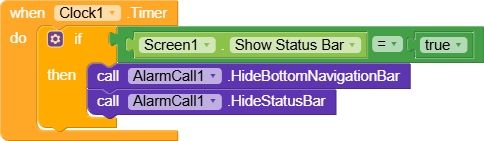
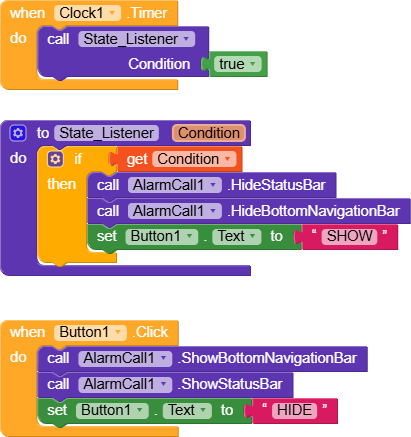
Solomon thanks for the aix, @Matteo_panza to use this function you need to use timer to update the state of the Nav
I tried this and it
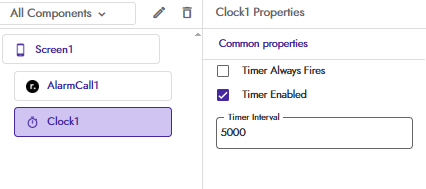
Designer
Set Interval 5 sec, 5 sec will be enough for user to use the navigation’s
Blocks
With @solomon_zerihun Aix
Without Aix also works
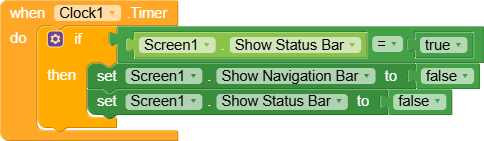
Simple right?

1 Like
Ok thanks a lot, I’ll try the extension now.
Ok, thanks for the extension, but something’s still unclear to me. If I just declare “HideStatusBar” it works, meaning the Status Bar is hidden. But if I also declare “HideBottomNavigationBar”, the navigationBar is hidden but the StatusBar reappears transparent. Why?
Which method are you using?
I used the one with AIX
Then try the another one, without aix,
Also at which purpose are you using it, is it Splashcreen?
The other way works, but when a Notifier appears, the statusBar and NavigationBar reappear. This is all with Android 10, since the platform compiles with SDK35.
Did you follow my instructions here, because I tested it in android 14 and it’s working 100%
As I said use time to check the state of the navigation bar and status bar
As I was telling you, this is an Oppo with Android 10, and it doesn’t work properly
 seems your android got some problems, did you try in different device, am using redmi note 12 android 14, so how come it couldn’t work in 10?
If you could see properly it overlaps the status bar
Anyway, as I asked before
It Is splash screen or another
Try this (and post screenshots after clicking all four buttons):
StatusNavbar_K.apk (4.6 MB)
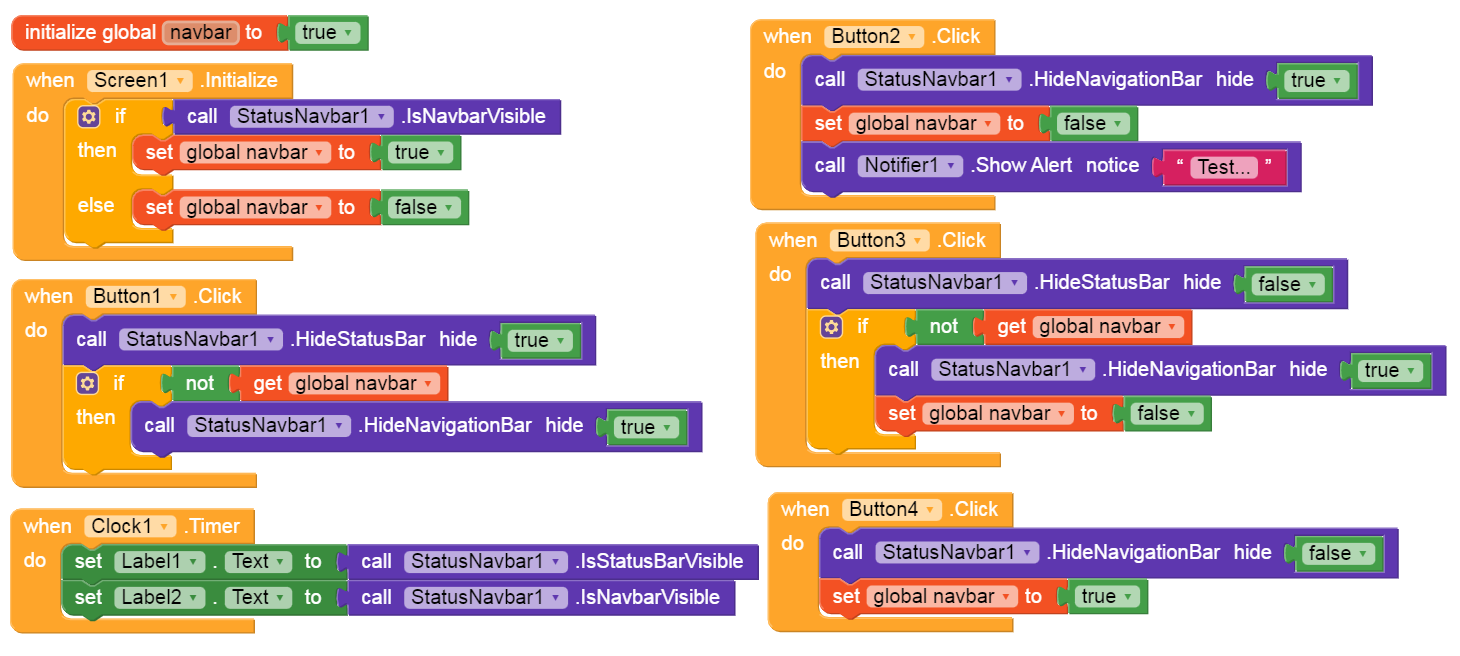
Should work on all Android versions (Android 5+).