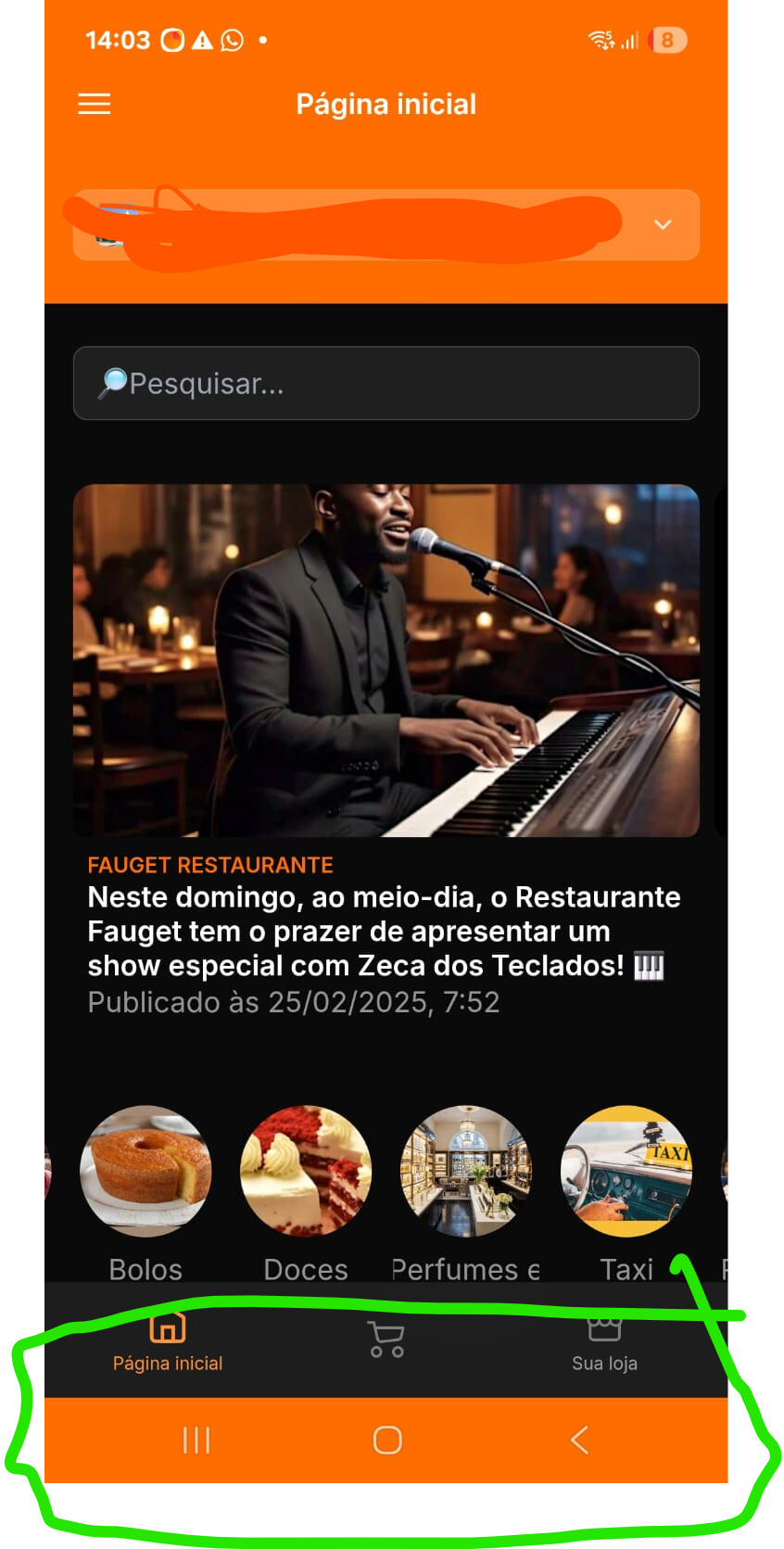
When updating to API 35, Kodular automatically changed the navigation bar to this orange color. How do I change it?
Hey @Tudo_Em_Um
please set those property block in screen initializing event


other than this hiding and showing navigation bar also color change may not work on some android device. they are experimental property right now.
2 Likes
@solomon_zerihun … that’s even not a great idea…
hah!
Please post only what you think the solution is without telling who someone is.
thanks
1 Like
umm and you know @Taifun was changed my topic’s category from discuss to guides, resources.
I have the permissions to do this too but…
given the way you treated the users,
I’ll wait for the creator of the post to mark it as the solution.
You should have more respect for those who have just started using Kodular and perhaps be more considerate in how you say things.
Always check the community before creating a topic, maybe your question has already been asked in the past.
https://community.kodular.io/search?q=navigation%20bar%20color
Happy  oding!
1 Like
I really would have preferred not to write what I wrote earlier, but it seemed the right thing to do.
PM if we need to talk about something unrelated to solving the post.
Following up on my earlier report regarding the Status Bar Color and Navigation Bar Color blocks not working after the recent update:
I tested the issue on multiple devices and found the following:
- Samsung M13 (Android 14) → Working properly.
- POCO (Android 15) → Not working.
- Tecno (Android 15) → Not working.
Observation:
The issue seems to affect Android 15 devices, while it works as expected on Android 14 and below.
On Android 15, the colors are still being taken from Project Settings → Theming instead of updating via blocks.
Could you please confirm if this is a compatibility issue with Android 15.
2 Likes
This extension comes to in time, yet I didn’t try it
2 Likes
I had a similar situation after updating to API 35. I was able to change the navigation bar color using blocks in the Screen.Initialize event and setting the NavigationBarColor property. Also, if you want more advanced options (like transparency or color animation), you can use the Advanced Status Bar Tools extension.
If you want, I can share the exact blocks that worked for me.
1 Like
I’m android 15+? Because it seem to work in android 14 below
If you’re making it in android 15+ then you can share to guide
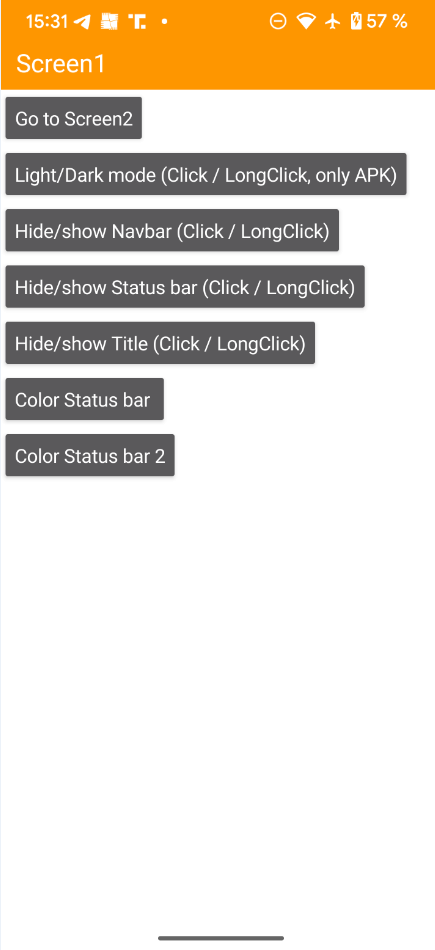
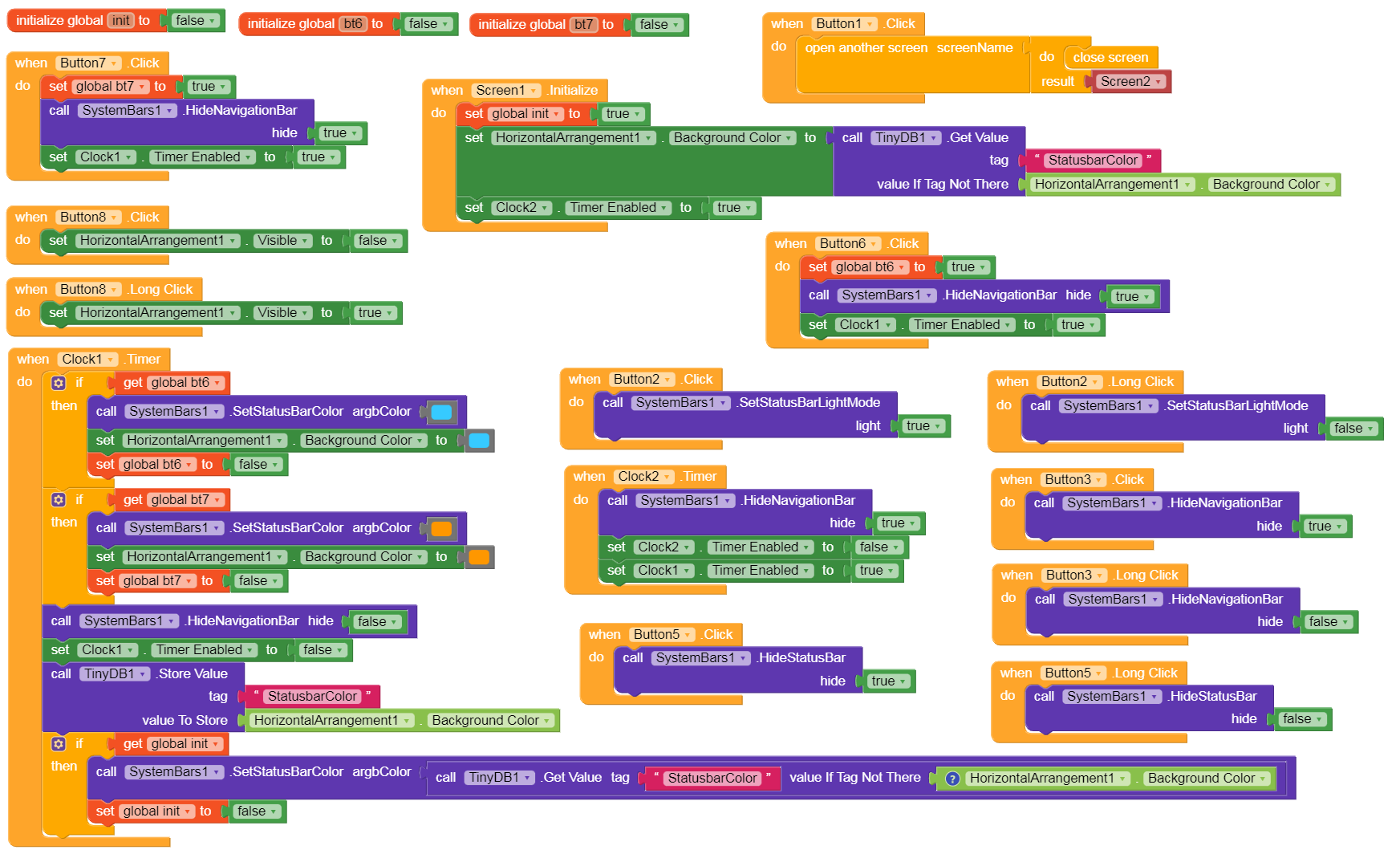
Where is the status bars extension?
How can get this extension? Please share link of this extension.
The SystemBars extension is still in an experimental stage. The Status bar and Navbar can no longer be colored independently of each other since the targetSdkVersion=35 update. My extension uses a workaround/trick to prevent the Navbar from being colored. To do this, the navbar must be temporarily hidden for a few milliseconds to prevent coloring. However, this requires that the Title bar is hidden (in the Designer). If desired, this should then be created manually via a HA and colored accordingly (if desired).
Post your AIA or send it to me via PM. I’ll test it with your app and report back…
1 Like