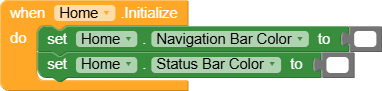
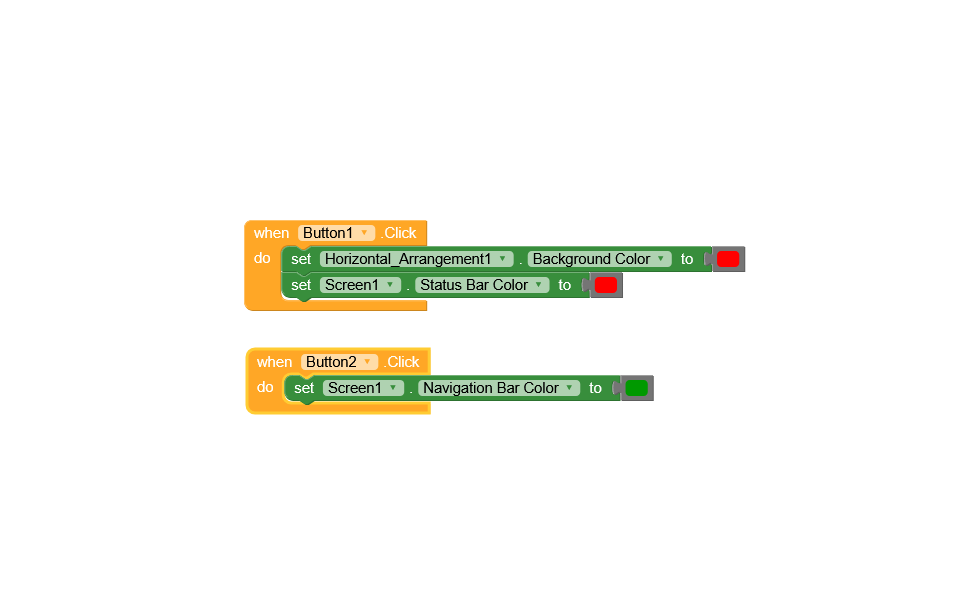
After the recent update, I noticed an issue with the Status Bar Color and Navigation Bar Color blocks.
Problem:
The color set through blocks is not changing manually at runtime.
Instead, it automatically takes the color from the Project Settings → Theming.
This behavior started after the latest update.
Expected Behavior:
The Status Bar Color and Navigation Bar Color should update instantly when changed via blocks, regardless of the theme color in project settings.
Steps to Reproduce:
It limits dynamic theming in apps and breaks existing projects that rely on manual color changes via blocks.
Please look into this issue and provide a fix as soon as possible.
I tested the issue on multiple devices and found the following:
Samsung M13 (Android 14) → Working properly.
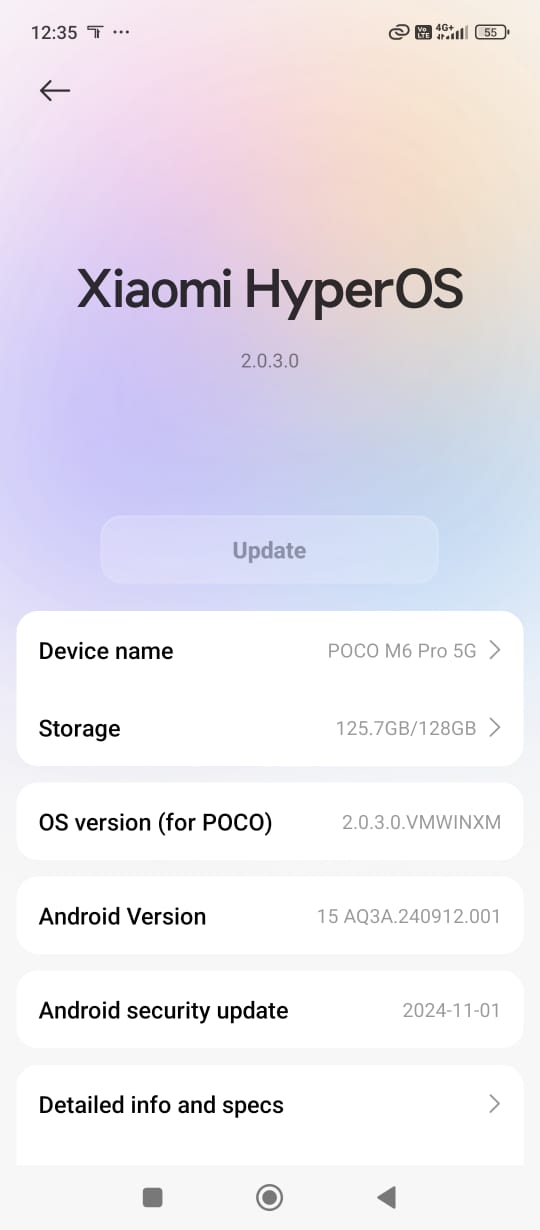
POCO (Android 15) → Not working.
Tecno (Android 15) → Not working.
Observation:
The issue seems to affect Android 15 devices, while it works as expected on Android 14 and below.
On Android 15, the colors are still being taken from Project Settings → Theming instead of updating via blocks.
Following up on my earlier report regarding the Status Bar Color and Navigation Bar Color blocks not working after the recent update:
I tested the issue on multiple devices and found the following:
Samsung M13 (Android 14) → Working properly.
POCO (Android 15) → Not working.
Tecno (Android 15) → Not working.
Observation:
The issue seems to affect Android 15 devices, while it works as expected on Android 14 and below.
On Android 15, the colors are still being taken from Project Settings → Theming instead of updating via blocks.
Could you please confirm if this is a compatibility issue with Android 15, and whether a fix is planned in the upcoming updates?
Why should I create a new thread for the same issue?
I already reported this bug, and it’s still not fixed. I am a paid subscription user, and this issue is seriously affecting my app design — especially on Android 15 devices.
I don’t think I should have to stay silent or keep making new threads when an unresolved bug is impacting UI and user experience. I expect proper follow-up and a clear timeline for the fix.