I’m trying to dynamically generate several Plyr components with RecyclerView, but I have a problem retrieving the component through Any. (I play it by pressing on a CardView)
EDIT: It’s fine to share how I solved it, even though I have other issues now.
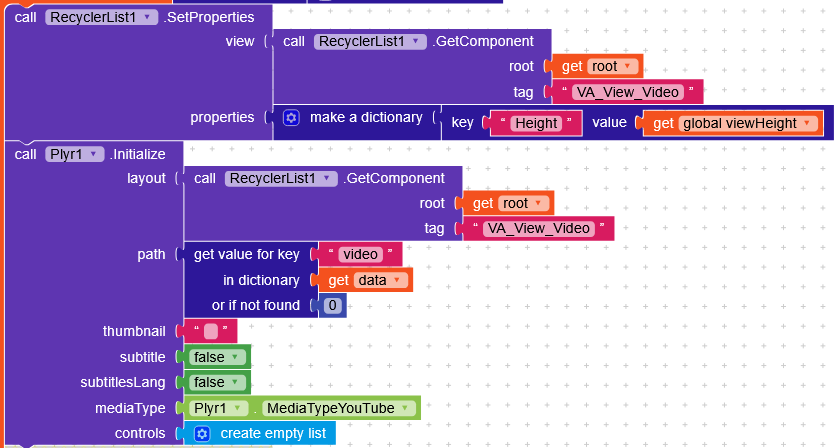
For each Plyr generated, I saved the component in a list, and to play it, you just had to call the component from the list at the correct index.
The problem now is that generating many components starts causing performance issues after some videos, and deleting the player dynamically crashes the app.
RTSP URLs cannot be opened anyway, you need to convert such links to m3u8 format in http form with programs like ffmpeg.
If you have no idea about this, do some research on it thoroughly. Broadcasting and converting an existing publication involve situations that require detailed and technical knowledge.
I’m currently working on a simple video streaming app and decided to use Plyr for HLS playback. I’m encountering a minor issue when switching to fullscreen in landscape mode.
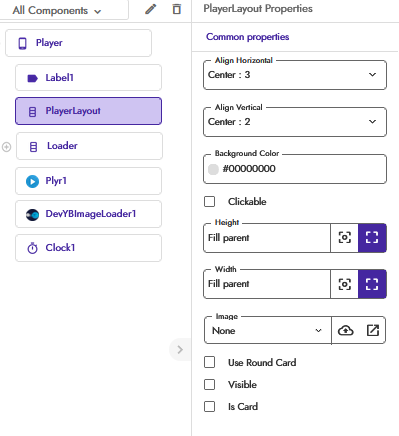
Designer Layout
Here’s a screenshot of my current layout setup,
Recorded Video
Here’s a screen recording showing the issue in action,
Issue Description, Watch the second fullscreen
When entering landscape mode, the video initially appears large in width, as expected.
However, upon switching to fullscreen, the video reduces in size instead of expanding to fit the screen.
It seems the fullscreen mode does not correctly scale the video to the landscape orientation. This may be related to layout constraints or Plyr configuration for fullscreen scaling.
Could you help me identify what might be causing this behavior and how to fix it?
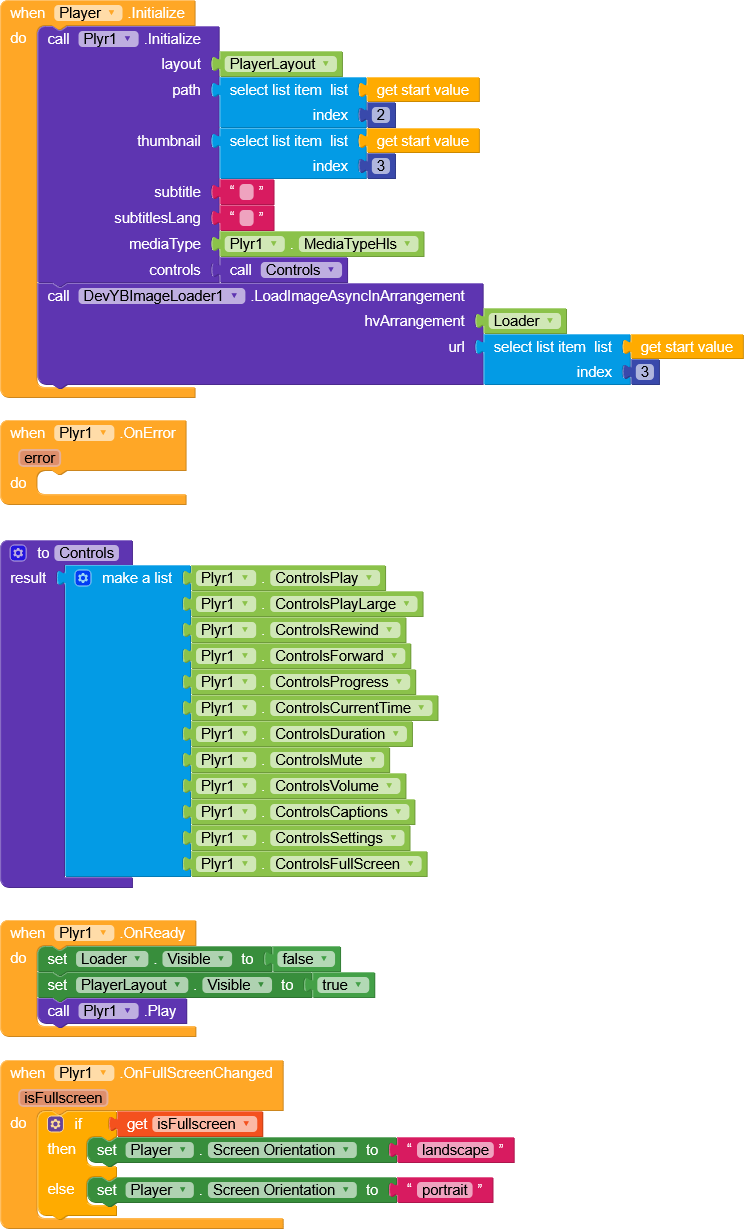
I faced the exact same fullscreen issue before, and I’ve fixed it using the blocks shown in my attached screenshot.
The issue happens because the player layout doesn’t resize properly when switching orientation — it remains locked to the previous dimensions.
My block setup forces the layout to reinitialize and adjust to the new screen orientation, which makes the video scale correctly in fullscreen.
You can follow the same logic shown in my screenshot — it completely fixes the shrinking video problem in landscape fullscreen.
If it helps you, don’t forget to give it a like By the way, the blocks shown above are from the DeepHost Exo Video Player extension, and they might work the same for the Plyr extension blocks as well.



 By the way, the blocks shown above are from the DeepHost Exo Video Player extension, and they might work the same for the Plyr extension blocks as well.