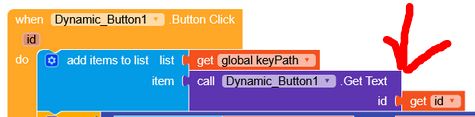
Issue with ID number 1 from every dynamically created button.
I’m using a loop block, where I’m generating dynamic buttons.
I have 8 main dynamic buttons. Each of these main buttons contains another set of dynamic buttons (for example, 4 buttons representing sections). When any of these section buttons is clicked, it displays a final group of buttons. Clicking any button in this last group shows the actual content.
For example:
The first main dynamic button is named “Library.” Inside it, there are 4 dynamic section buttons. When a user clicks on any of these sections, a final group of buttons appears. Clicking a button in this final group displays the content.
The problem I’m facing is ID collision:
When I assign ID number 1 to the first button in each group, they all end up with the same ID, causing conflicts.
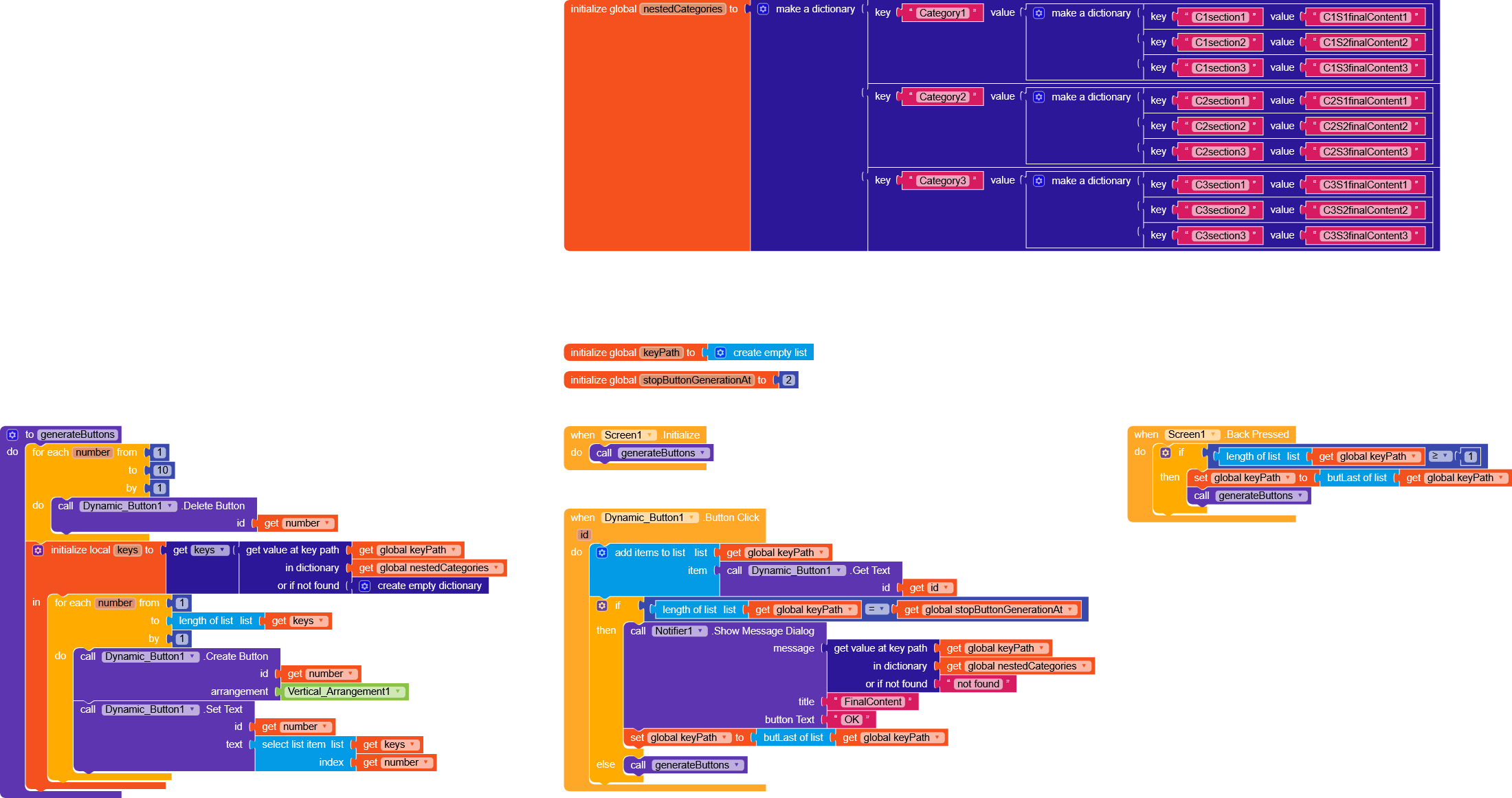
Recently I helped another user solve a similar issue, which resulted in this guide.
I’d suggest ignoring the function and looking at how the project works, because it contains logic similar to what you’re asking for to display the data.
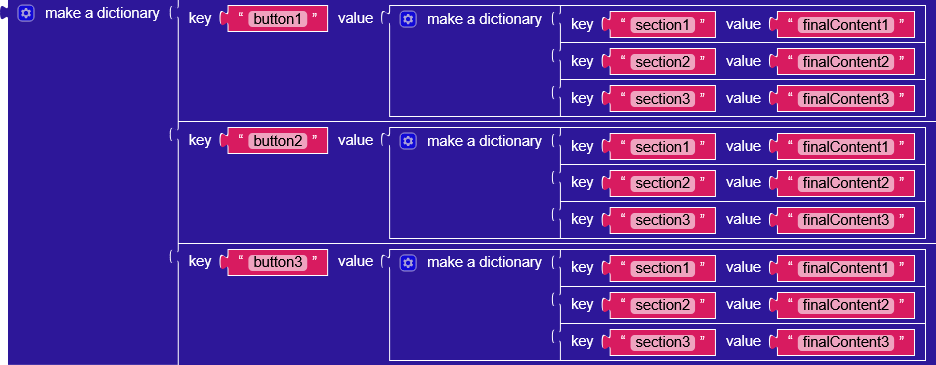
Go straight to creating a dictionary with keys matching the values you assigned to the first 8 buttons, and for each key use another dictionary whose keys are the section names and whose values are the final content
it’s a bit cumbersome but it uses RecyclerList, which I consider essential for a modern and smooth app
Each dynamic button must have a unique numberID, so the first layer of categories will be 4 buttons with indexes 1, 2, 3, 4. Then, when you click a category, you’ll delete all the buttons with a for loop and generate the buttons for the sections in that category and so on.
I have a question … How to make the main button according to your project that you sent … That text appears different from the main second or third button and so on
“How can I distinguish the main or sub button from the other buttons based on its functionality? For example, the main button deletes itself after being pressed and adds text, and so on.”
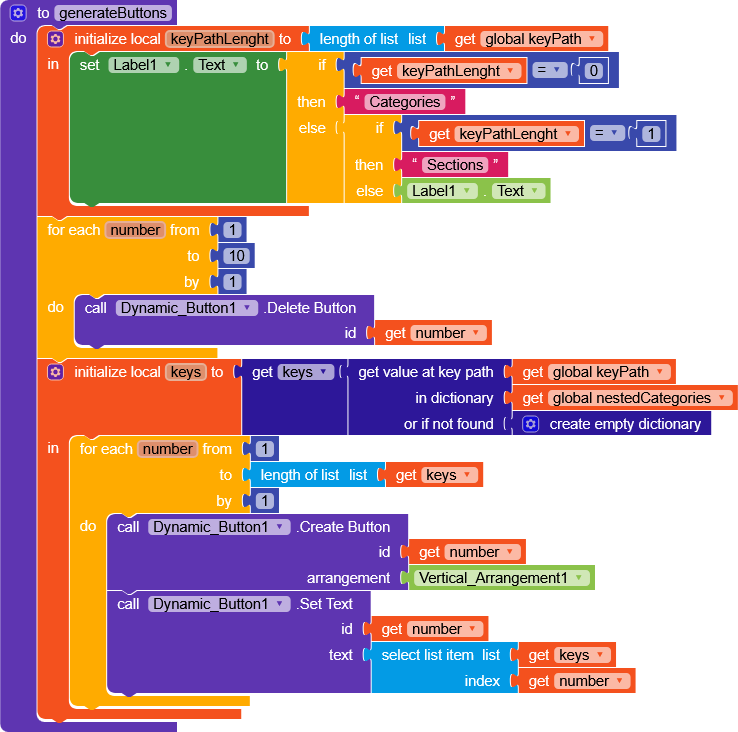
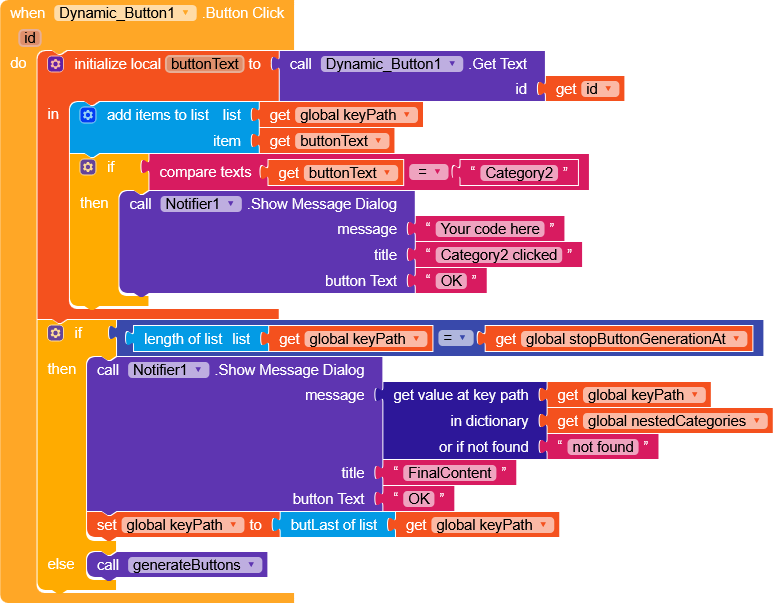
You could do something like this,
when generating the buttons, check the length of the keypath (which tells you how deep you are in the dictionary) and based on that, write what “functionality” it represents.
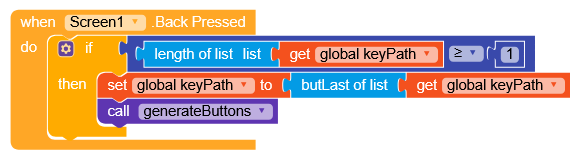
Thank you your learning succeeded .. But I forgot to ask you a question .. I’ll give an example . An example. . If I have a main button named library and in the main button it has 3 sections . He clicked on one of the sections and the content appeared . I want to return to other sections how the return process is done !! Both were in the departments !!
Thank you. I didn’t pay attention to her .she was there..I have a question How to determine the mechanism of action of a particular button by its name only and the ID how so
In the file that you attached to me earlier . I made a one-button operation C1 how to make this C1 perform its own operation regardless of the main commands