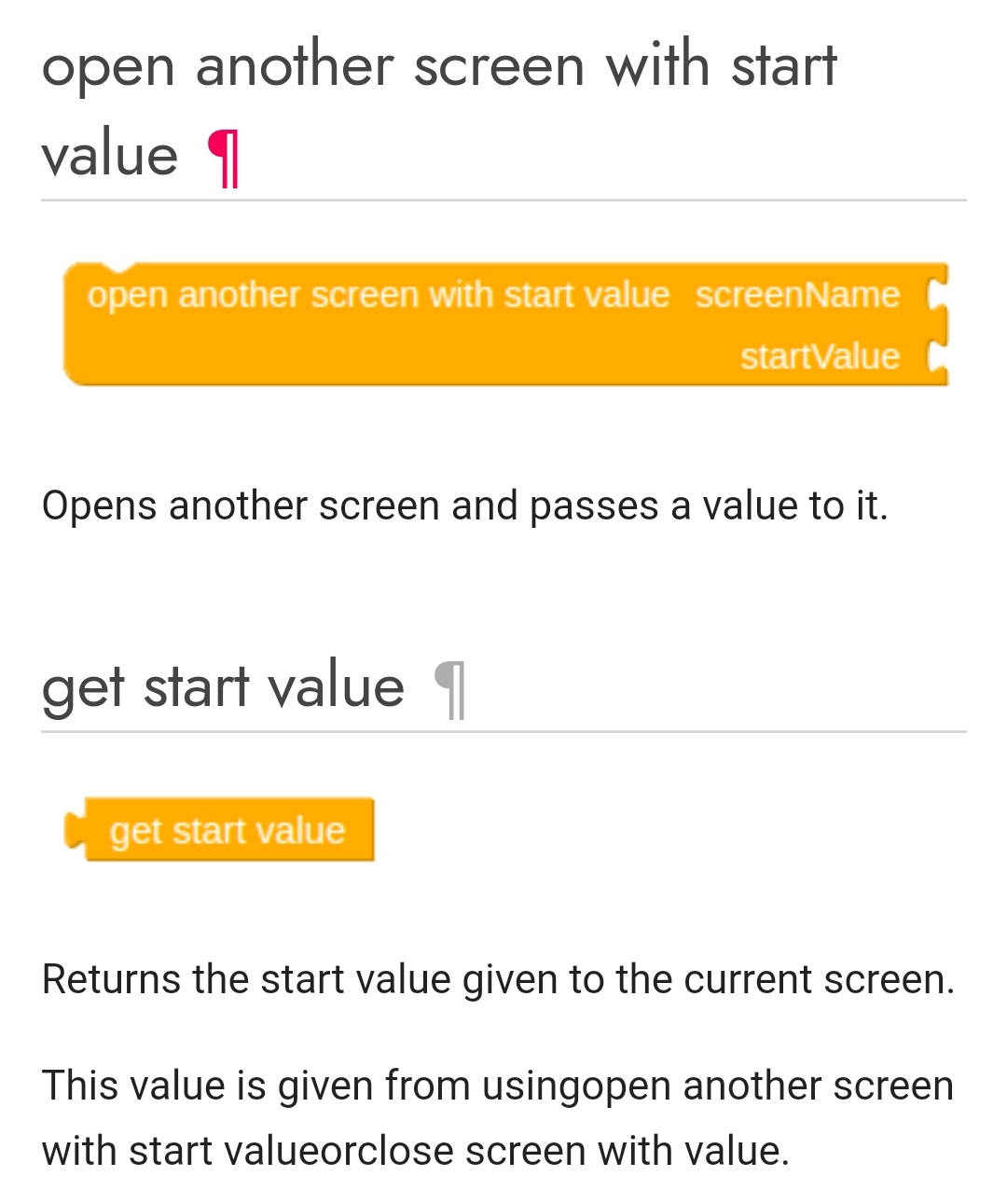
can anyone please describe how to use start value block in controls.
1 Like
hey i have 200 levels in my app .
so i am using when any button click
open another screen with start value.
please check i am doing wrong or correct.
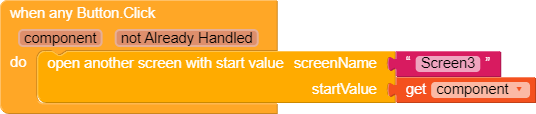
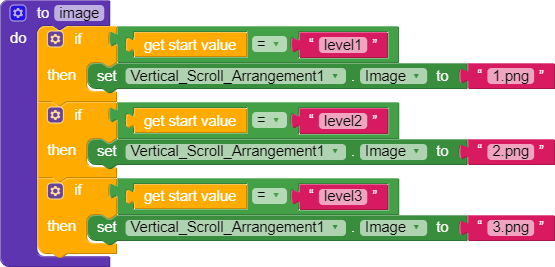
first block in another screen
second is in other screen
1 Like
Yes,
it’s Correct.
but they are not working
when i press on level 2 it never change vertical scroll arrangement’s image ? in another screen
When the Button is Clicked
Get ID of Button Component
And pass that as Start Value.
And Button ID should be - level + number
yes, i have set my button name as level + number = level1
nothing is working
Then this will work.
You should change Start Value from Component to ID of Component.
but i am not using dynamic buttons. i am using normal buttons
please help
Oh Sorry.
My mistake.
Forgot to Ask.
I thaught you encountered this while changing your App Components to Dynamic.
Here i can’t Help.
As while testing Static Components with Component as Start Value
we get this as Start Value -
com.google.appinventor.components.runtime. + Component Name + @ + random numbers. ( that also keeps changing )
Not what you have named the Component.
ohh no i am too close to my app.
please do something.
i will cry  .
.
please help
Still you can use the ids way.We can use dictionaries.For example initialize global dict to some keys and values.Every key will be like that The key = the component and the value = your id ( unique one for every id ).And use @ADDYLIN method but instead of using get id block you will use get value the key = your component,your dictionary = your dictionary variable, dict for example.And let valueif not found as it is.
There is another way using list of lists but it will be much harder.Using dictionaries is easier 
Fun fact.Even @yusufcihan using this way in his dynamic component extension method exactly with the hashtable class ( similar to dictionaries )
3 Likes
Correct! Those are very very helpful in any of the programming language.
3 Likes
thanks ,
but i don’t know how to use dictionaries.
can you show me blocks . how to use that (only for educational purpose)
3 Likes
Check out my guide: Guide: Dictionary Blocks
And Kodular documentation as well.
3 Likes
i have try but nothing understand .
can you please show me blocks how to use in my condition
1 Like