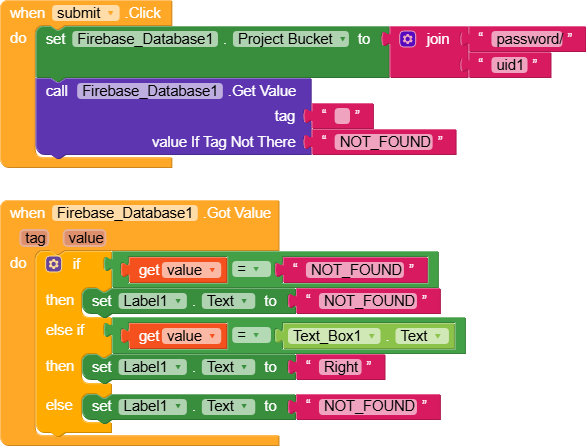
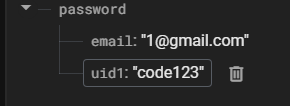
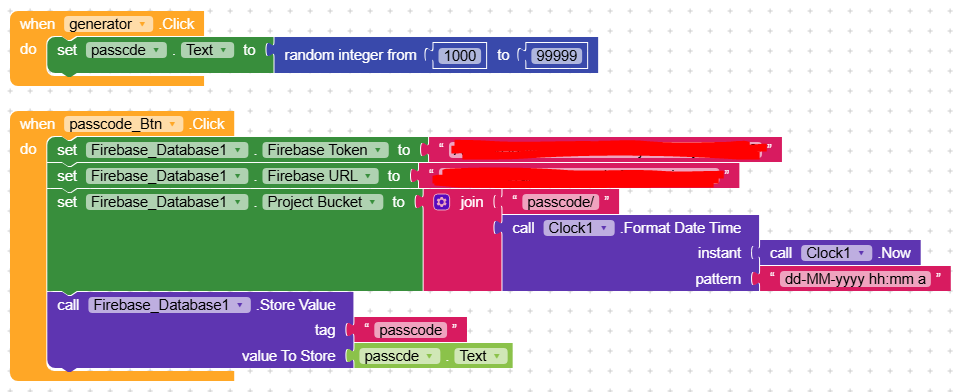
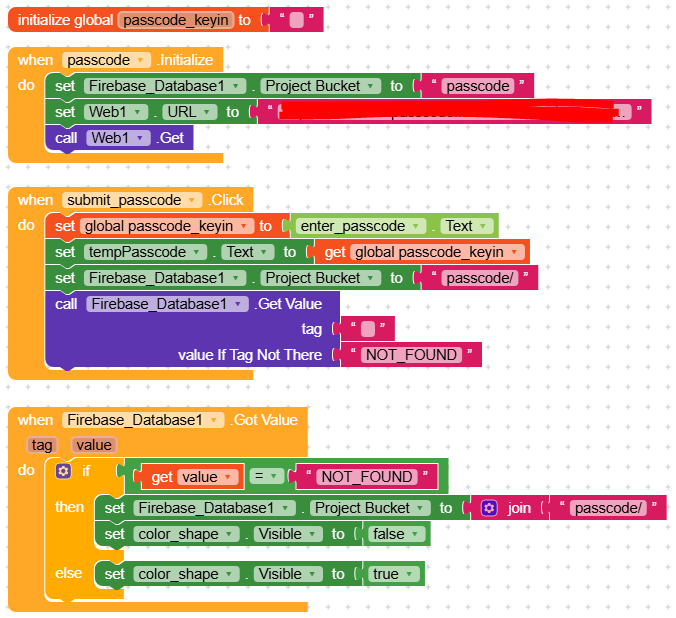
on the other side, i want to know if the passcode existed in the same firebase db.
i will keyin correct passcode then a shape will appear else if wrong passcode the shape will not appear
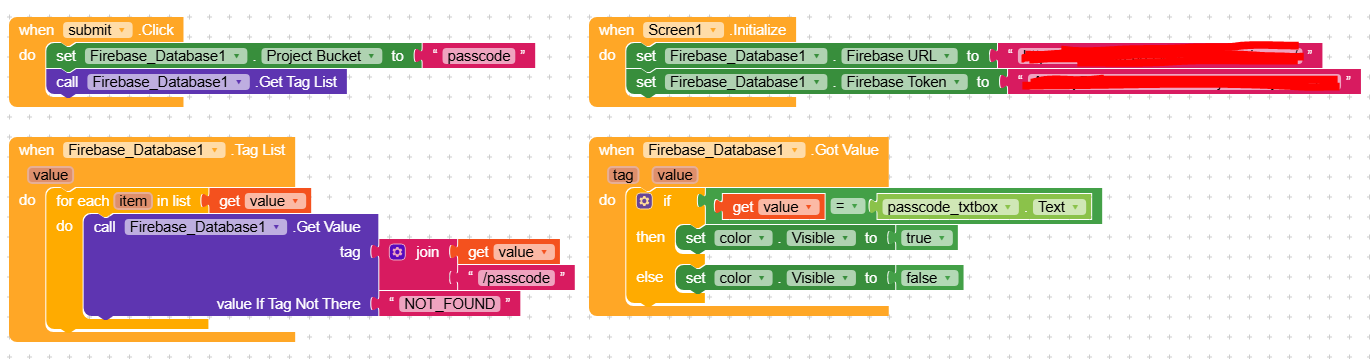
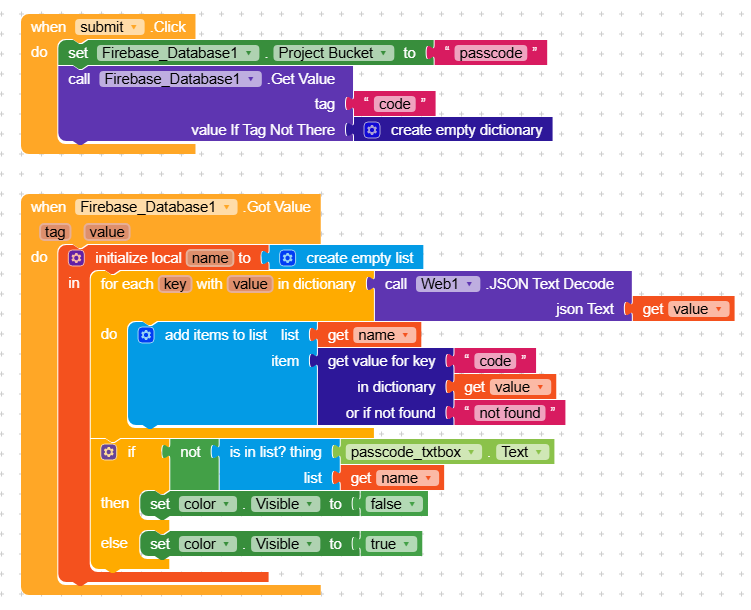
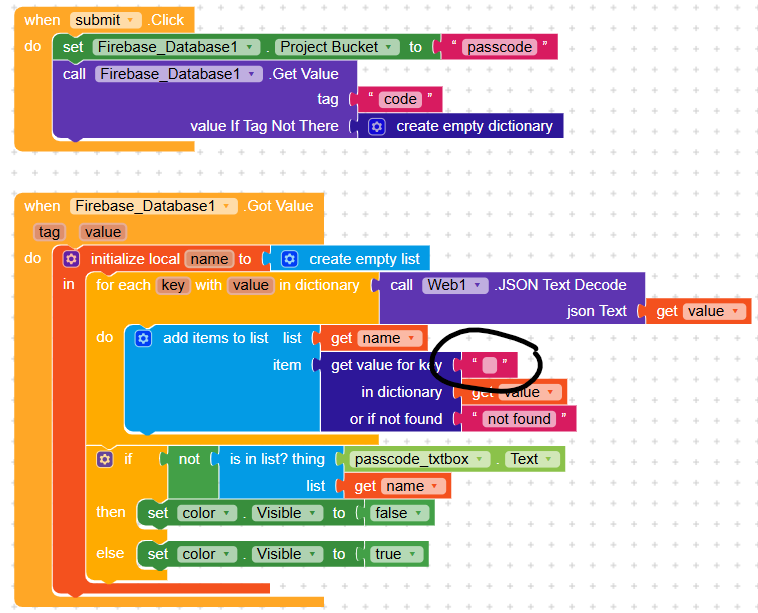
i have tried below blocks but seems not working, think mostly the logical all wrong
any guide here will be much appreciated
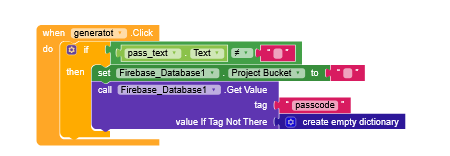
Get the json data from the bucket passcode (using this as tag name)
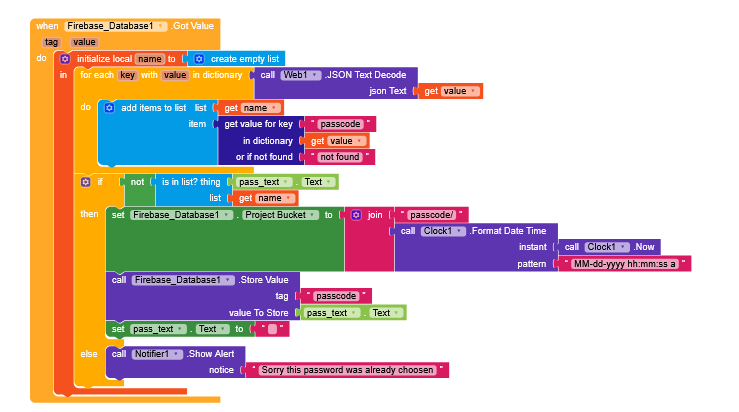
then convert the passcode key value as a list, then compare the entered text with Is in list block.
If exits throw an error alert
else proceed to save under proper project bucket
(this method will save multiple times of calling fb data)
@Still-learning
but actually these two are separate in different app; first app will be the one person post the passcodes to the firebase, and second app is for people to key in the passcode (after they receive the passcode) in order to go to another screen.
so second app is where the passcode checking function comes in at the background.
I dont think your logic is good. Modify your logic. Without knowing the person whose id how can you check the passcode given to him?
The above blocks is used to check whether the entered passcode is existing in the fb ir not.
What will you do if they same passcode given to multiple users?
In app 1 generate passcode for the particular user using his id or any other key value and store it.
In second app, when user tried to login or entered his passcode using his id or key vakue, run set the bucket as passcode/userKey and get the key value of passcode and check the obtained value with input value
1. set global passcode_keyin to enter_passcode.Text
2. set Firebase_Database1.ProjectBucket to "passcode"
3. call Firebase_Database1.GetTagList
When Firebase_Database1.TagList
for each item in value:
   call Firebase_Database1.GetValue
     tag: join item and "/passcode"
     valueIfTagNotThere: "NOT_FOUND"
When Firebase_Database1.GotValue
if value = global passcode_keyin:
   set color_shape.Visible to true
   (optional: set a global flag like passcodeFound = true to stop further checking)
else:
   set color_shape.Visible to false
Tips:
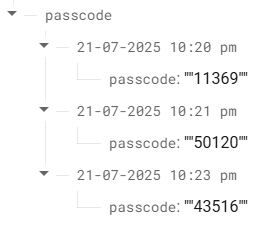
Make sure Firebase passcode values are saved as plain strings (not with extra quotes like '"43516"'). That’s why you see double quotes. Fix this by changing store block to:
valueToStore: trim(passcode.Text)
Use the trim() block to clean input and fetched value before comparing.
supposed the color component should appear if the code entered by user matches with firebase db’s existing value, else nothing happen.
UPDATE
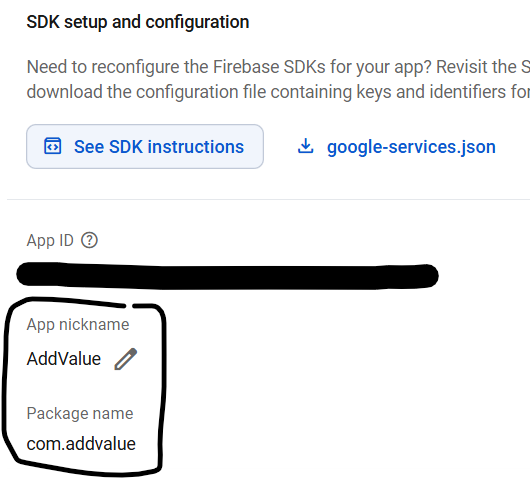
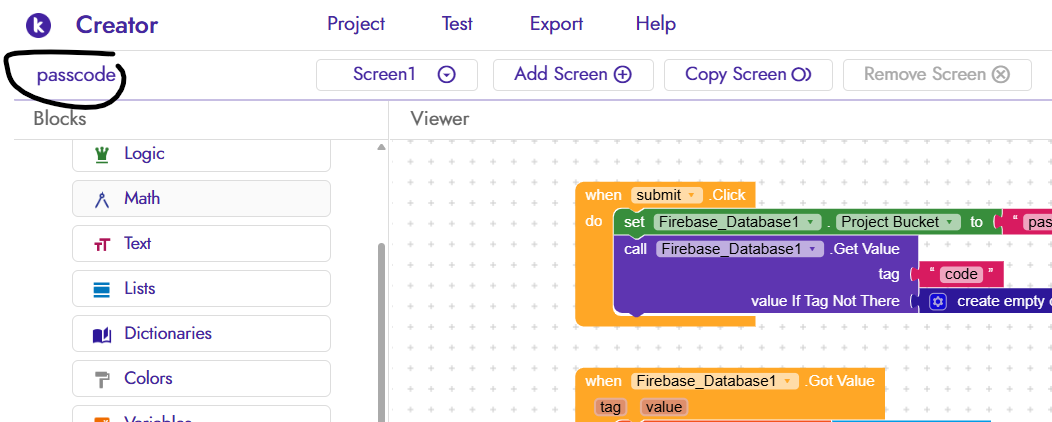
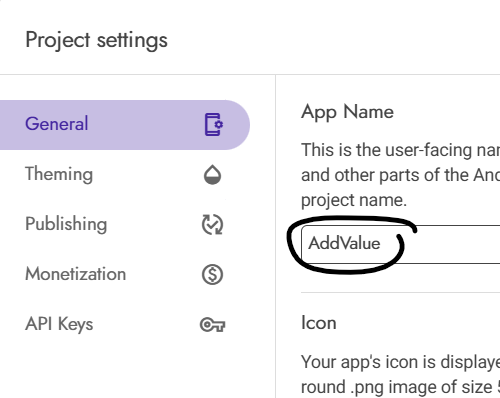
my project name is different from the firebase db name but in the Project Settings, the app name and the package name already follow back the firebase’s. is this the issue?
@Mike_Chan I think it’s quite easy somehow but also difficult. First thing, you must have specific user IDs, email etc stored in Firebase, when user request pass code you must approve that payment made was a successful, then send the pass code using the store user data to deliver the code the right user, then use when Firebase database data changed block +itool for the specific user, notify them when the code was sent to user email, [FREE] Email OTP Verification[UNLIMITED]
Sorry maybe I made more difficult now
But it’s 100% possible if you have user IDs in your Firebase
Hi @Ibrahim_Jamar, good day to you and thanks for the guides and heads up above.
But for now what i planned to do is abit manual, for the moment where once the user paid i will email out myself the passcode to him/her (after i updated new passcodes into FB)
Haha, not to say difficult but also need for later automation in the future.
OK @Mike_Chan so every time user requests passcode you gonna visit your fd that’s pretty cool but takes much energy. Let me try cooking something maybe it will help somehow
hi @Ibrahim_Jamar thanks for your motivation but for now i wana focus on testing the passcode checking from firebase when user key in the provided passcode


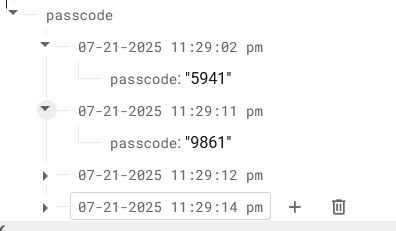

 Flow Summary
 App 1 (User App) - Detailed Logic
 App 2 (Admin App) - Logic
 Security Tips
 Updated Logic in Blocks:
 On Submit Passcode Button:
 Tips:
Tips: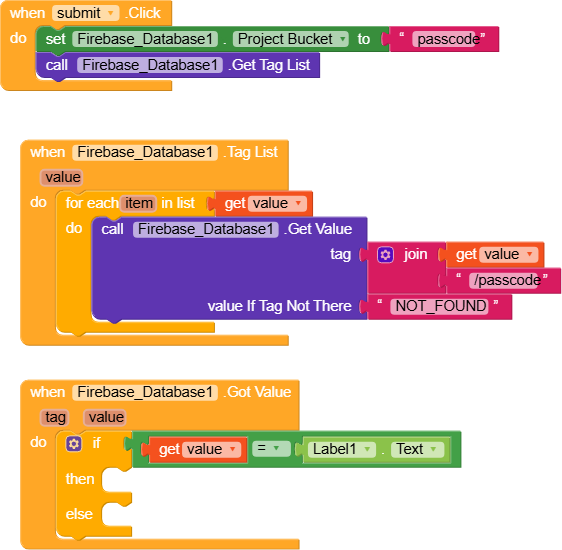
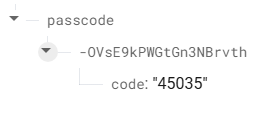
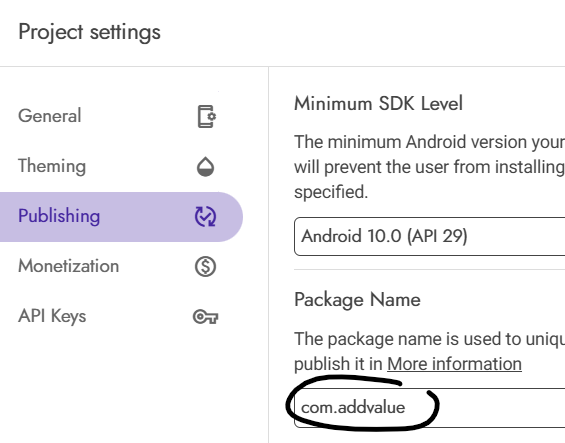
 below is from my firebase project setting