Hi, i know this is an old topic but wish to know how I can implement FB App Check in kodular apps.
By referring to last year topic in App Inventor community site App Check (FireBase) - App Inventor App - #6 by TIMAI2 - MIT App Inventor Help - MIT App Inventor Community @TimAi2 mentioned that the FB App Check’s key need to put in request headers.
Is it I need to initialize it at the “when Screen1 initialize” blocks?
The key means the API key from FB, is this correct?
And the “SHA-256 certificate fingerprint” that need to input I get from Kodular’s Keystore SHA1?
I just saw the updates from Kodular management where they release the Play Integrity, so its same for the Firebase App Check is it? @Diego
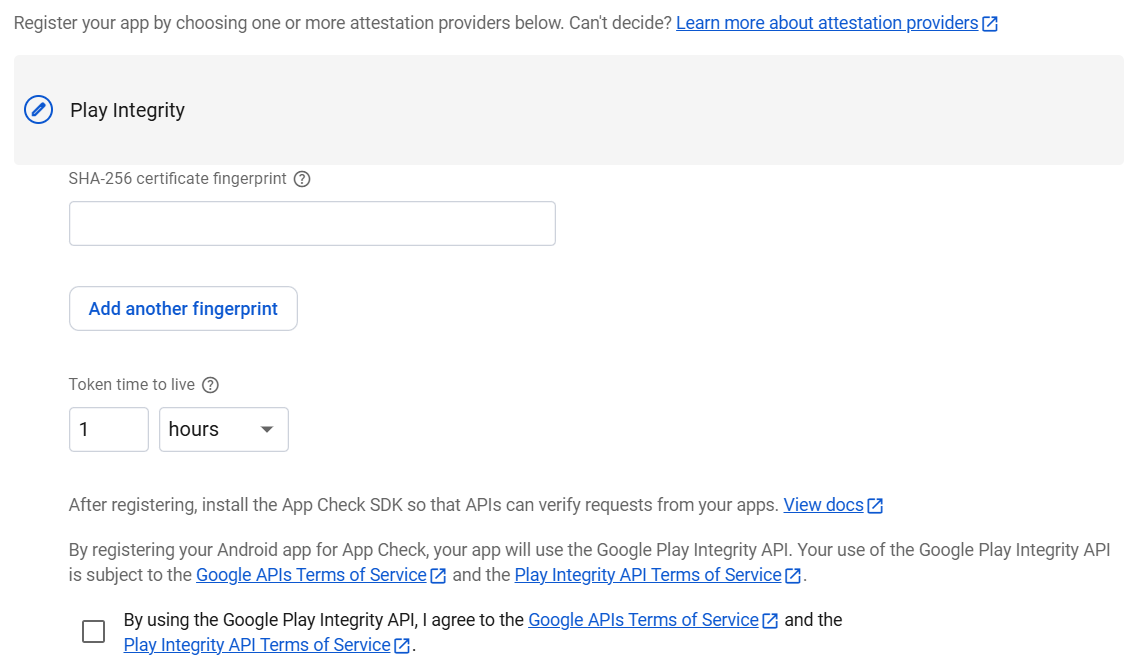
Is there any guide for this Play Integrity component?
And where can I get the Hash ya?

Unfortunately Firebase App Check and Play Integrity are not exactly the same. FB App Check is built on top of Play Integrity, and as of now only Play Integrity is available.
2 Likes
Understood and thank you for your explaination.
But with Play Integrity only should be enough right, as can register my app in the Firebase App Check (Play Integrity).
No. Firebase App Check uses additional libraries. What Firebase App Check does is to attach integrity tokens from Play Integrity to calls to Firebase APIs.
The point of Play Integrity as a standalone component is to let you communicate with a specific server, and let that server verify the integrity tokens. Firebase APIs are in a server “not owned by you”, hence you will have to use their specific libraries to communicate with them.
You can indeed register your app in Firebase App Check. However, if you use our Firebase components, they will not have the integrity tokens, so it will effectively not change anything.
Appreciate for your detail explaination on the Fireabse App Check and Play Integrity.
If Kodular’s Play Integrity is meant for standalone, which type of server(s) I can set for it?
Then if i use Kodular’s Play Integrity component, so I no longer need to register my app in Firebase App Check, is this correct?
Just rely on the specific server communicate with Kodular’s Play Integrity?
You can refer to the official integration guide: Make a standard API request | Play Integrity | Android Developers. More specifically, the “Decrypt and verify the integrity verdict” section.
Technically speaking no, because it’s just not supported. The purpose of Play Integrity is to “sign” API requests to backend servers with their tokens. Then, the servers validate those tokens to ensure they came from legitimate devices.
The key here is that Firebase is a “backend server”, but we don’t (yet) support their Play Integrity integration, aka Firebase App Check.
Let’s say you have your own backend server running some custom Python/PHP/Java code. You just have to send that integrity token in your request, validate it, and then you can make sure the requests came from a legitimate device.
1 Like
This topic was automatically closed 30 days after the last reply. New replies are no longer allowed.