Thanks You Very Much
Yes after analyzes I realize you are right.
Because I wanted to recover the exact value of the “VA_MyCart” items created to display it in number of the products by the User on the header.
here and there as on the image :
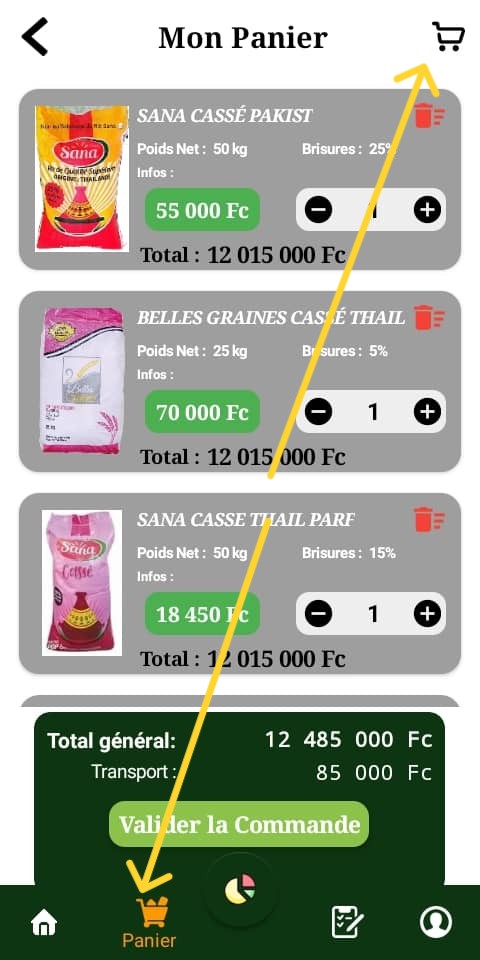
I will see how to be able to dynamically complete this count?
But that’s not what is causing me for the moment.
Please try to compile to see if the images are still displayed at home?
The images will load do not worrh. If you want the count there then just use length of the list get keys value of the dictionary i used
1 Like

Good Morning
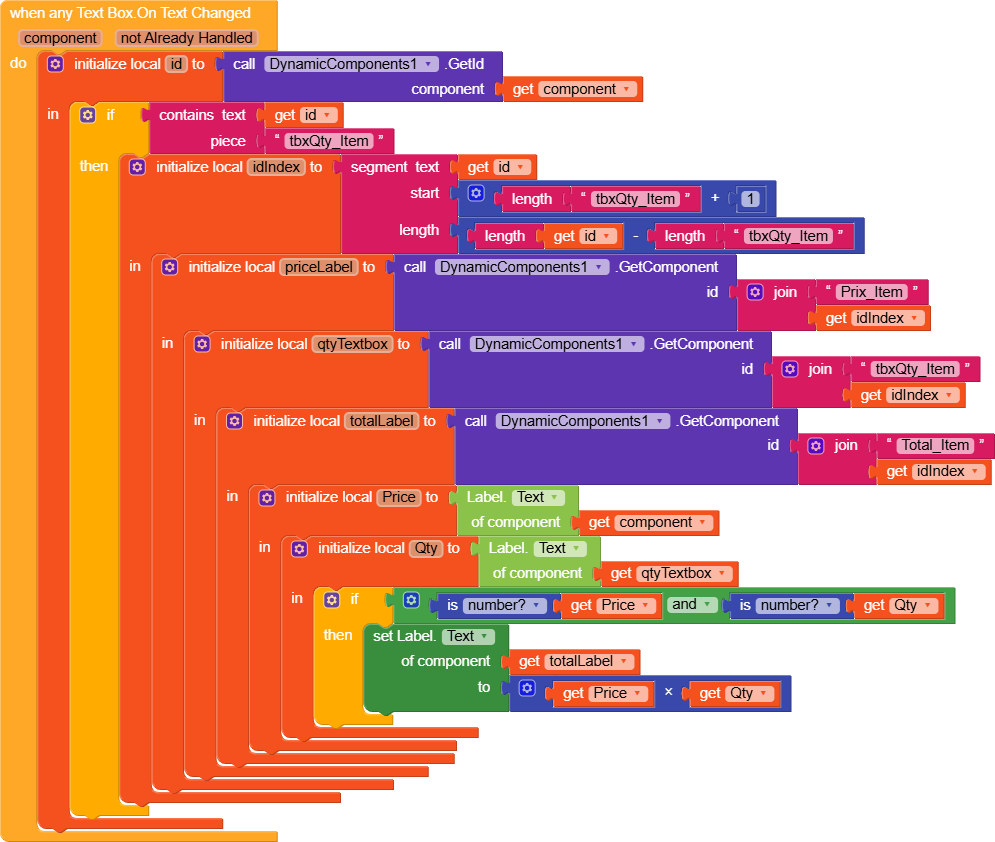
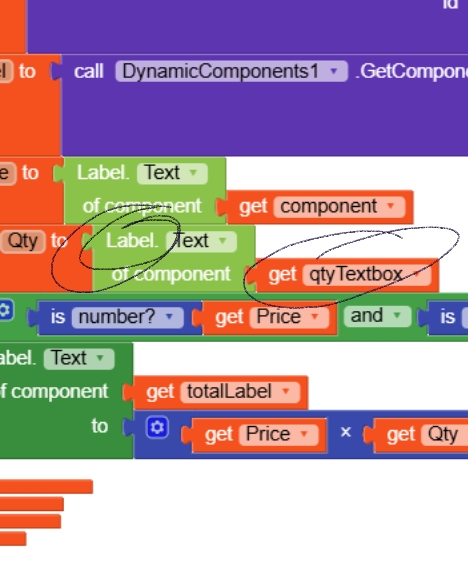
I had already changed the blocks. But even brushing this, nothing is happening I click on the buttons +/- The total is not calculated. No errors reported either for both tests.
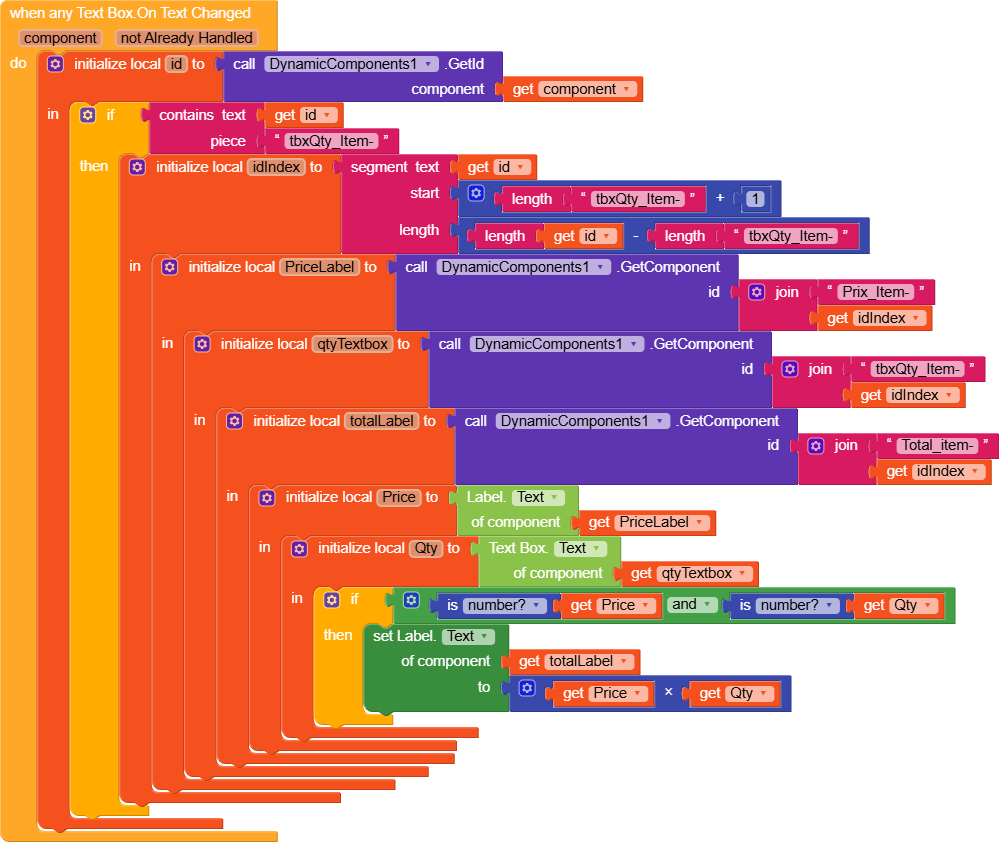

where and all you want the text to be changed when this action triggers?
When any textbox got changed? tell their ids. also show me in screenshot of their positions
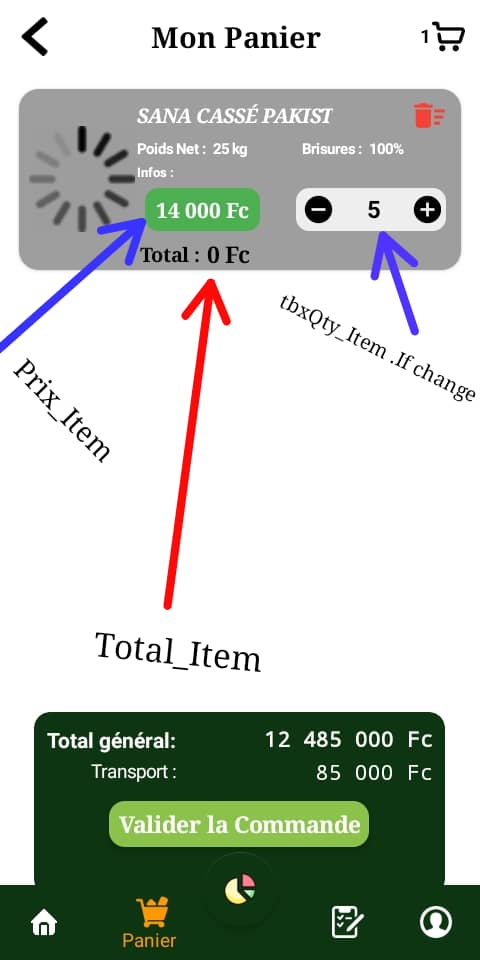
The idea was to dynamically calculate the total of each VA_MyCart individually according to the “tbxQty_Item” each time its value changes it is instantly multiplied by the price “Price_Item”. Then identified all the IDS of the Total_Item label to make the sum of the total amount “Total_Bill” (which is a static component) at the bottom. That’s what I try to realize
"keys": [
        "id",
        "imgProd_Item",
        "nomProd_Item",
        "poidProd_Item",
        "brisureProd_Item",
        "prixProd_Item",
        "Qty_Item",
        "TotalProd_Item"
    ],
Is it possible to use the elements of the Schema Parameter directly to display the label “TotalProd_Item” ?
Something like this?
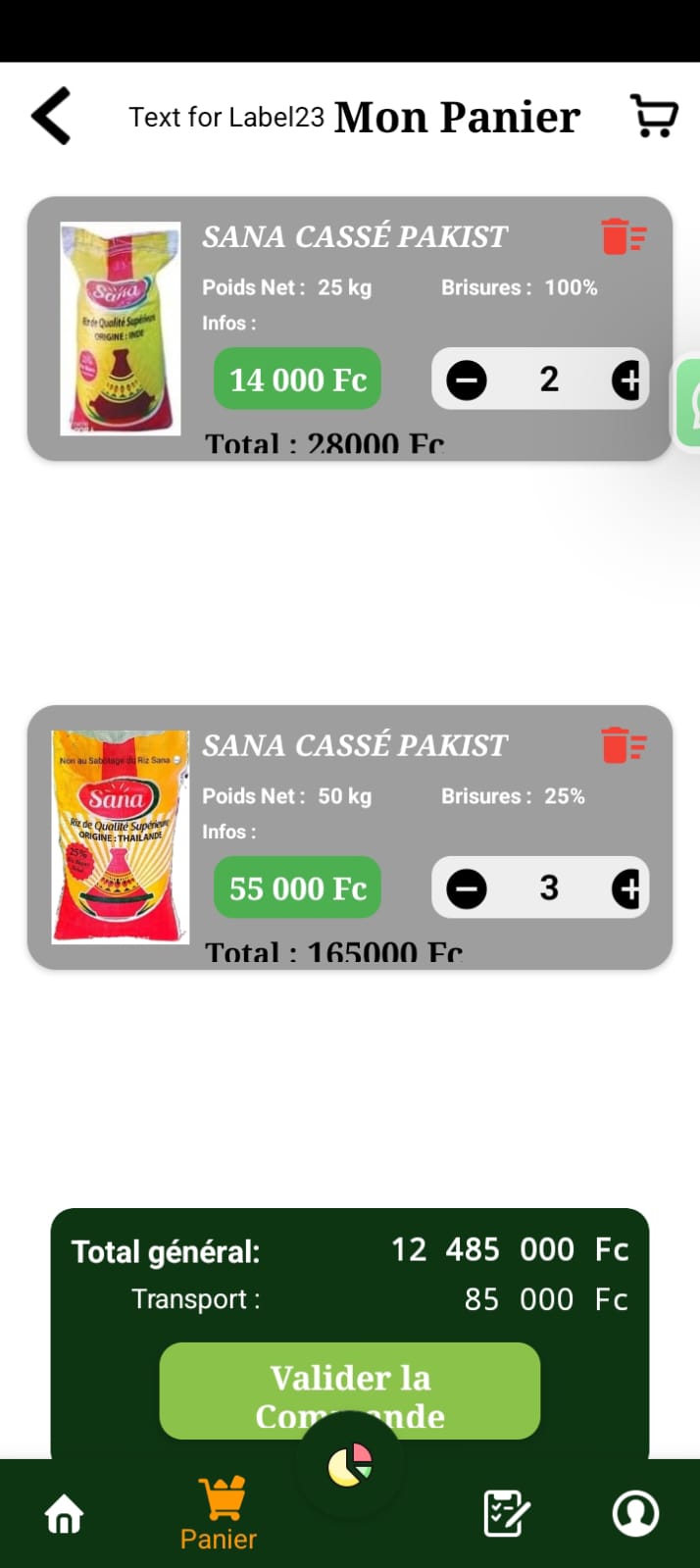
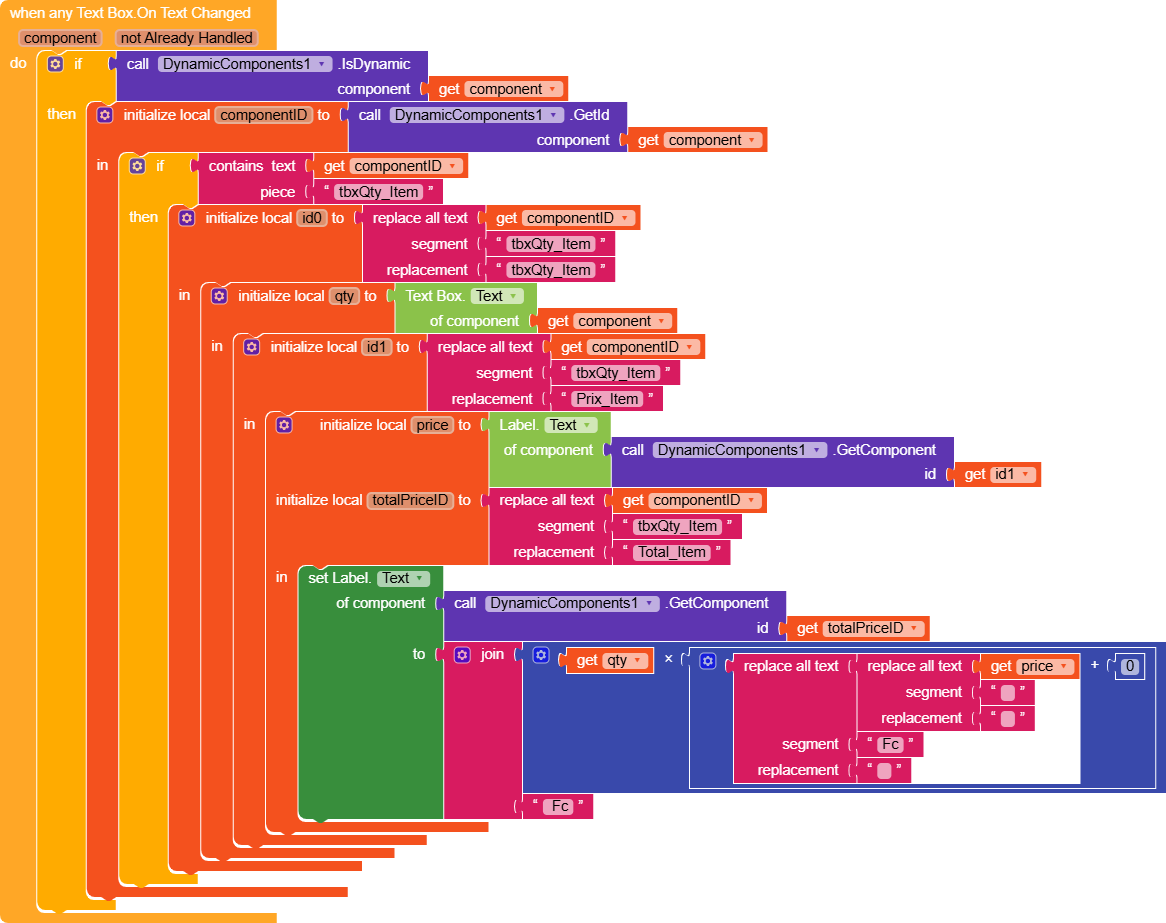
If so, download the below blocks, just drag into your project. Delete the previous blocks and test
Have you noticed it? every time the text box value changed on click by +/- total price item under every component will change
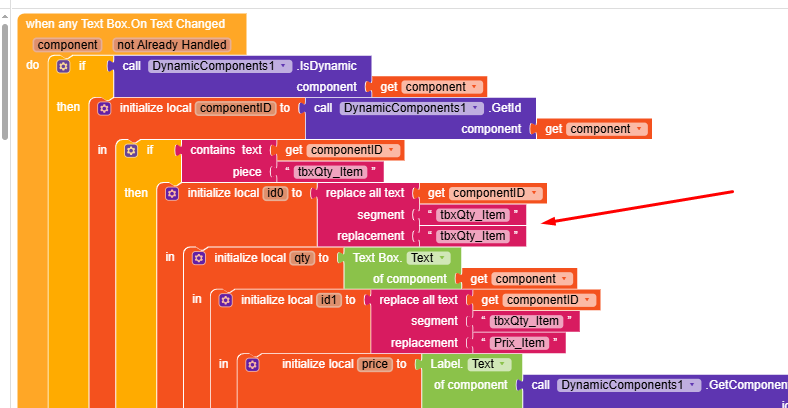
also this local variable is waste. Why did you use it? you may remove it
1 Like
Yes, thank you very much. It is prefers assembled the blocks myself not even in Pascar that’s how I capture and will retain the concepts. This is my way of learning while trying to decipher your solutions.
Besides, I did not understand the logic you made by grouping the IDs of the labels “Price” and “TotalPriceID” together.
Small question if you allow me?!
Is it possible to recover the value of the IDs of each label added to calculate the overall sum and display it on the static component “Total_Bill” at the bottom? In short, I will first try to do.
Thank you again
My test did not work. Error reported
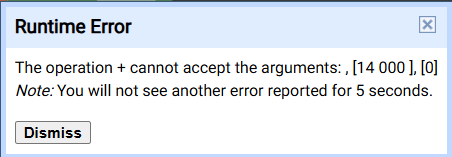
For what will come or that follow: make a spacing here to properly clean the price to make it from text to numbers.
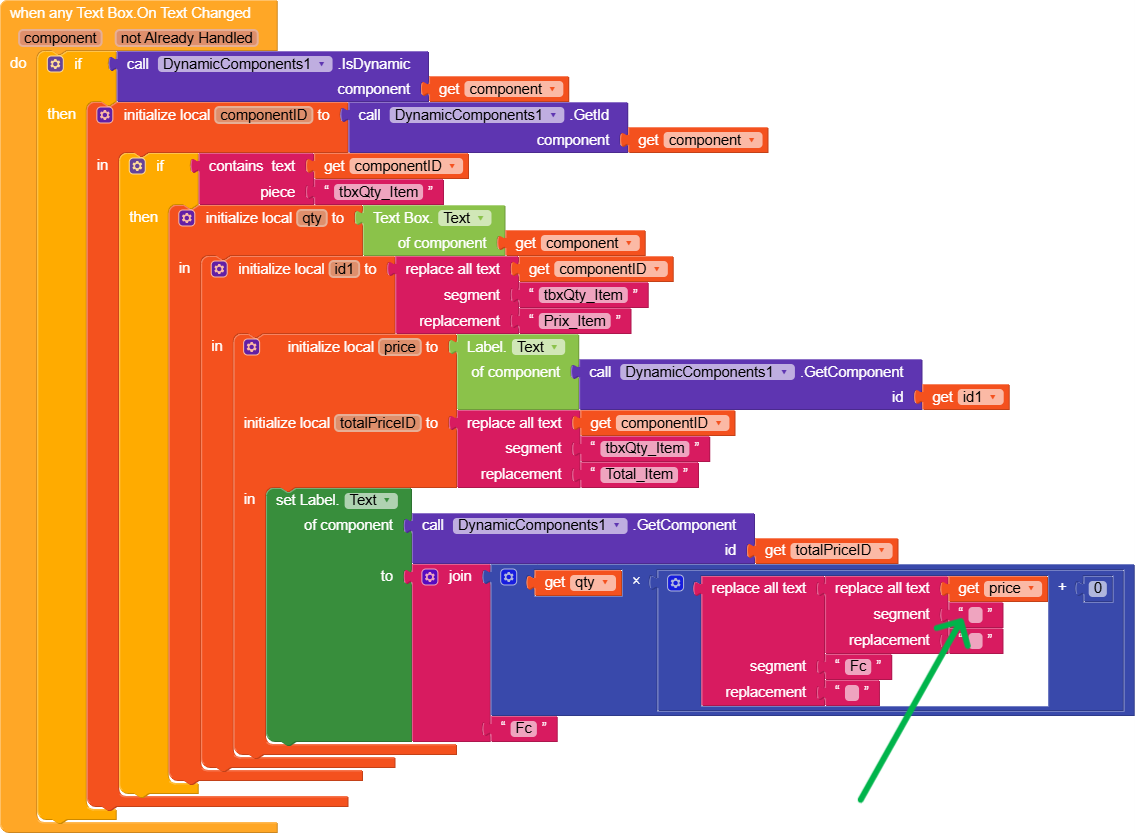
Give one space, you must remive the space, else you will get such error. I left one space there
1 Like
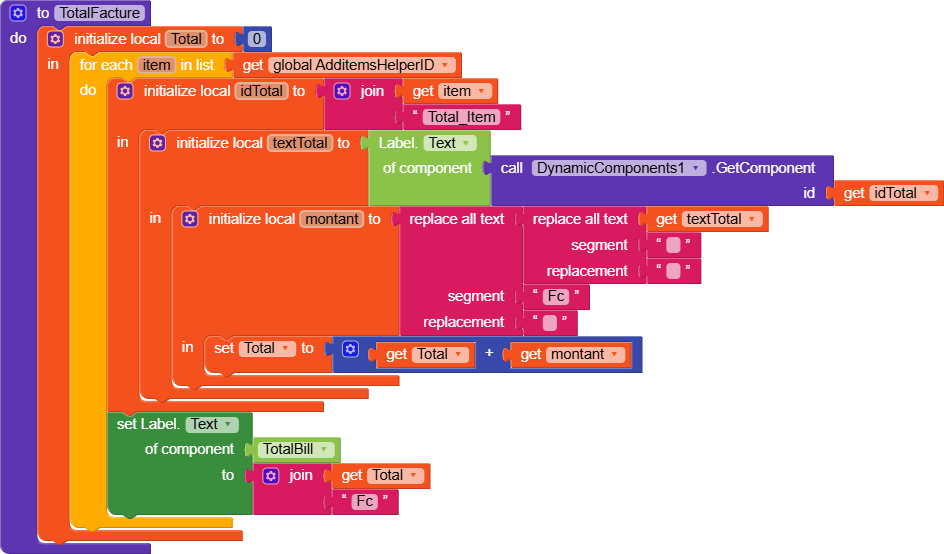
Move this Set label green block after the event of for each item
1 Like
It’s done but I have an error and I also had a doubt about the list that needs between ‘AdditemsHelperID’ and ‘FinalRemovalDict’

?
Pls right click on the global id to verify further