Hi everyone,
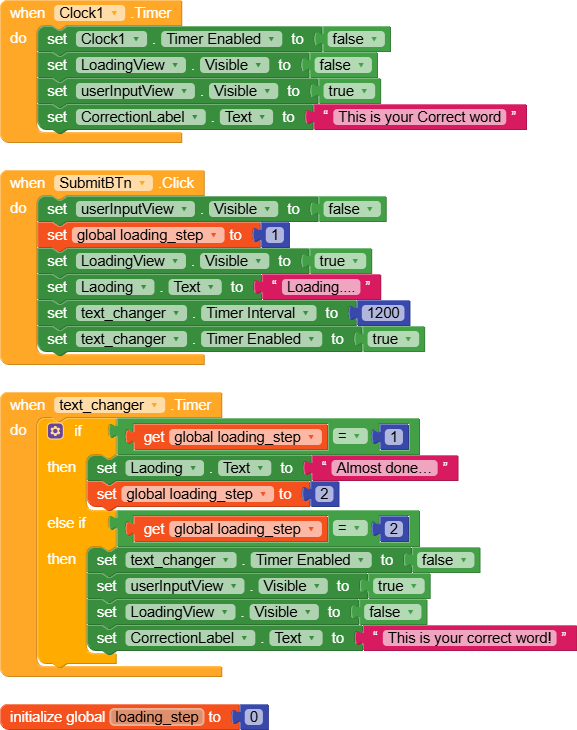
I’m building an app that corrects words. The user types a word and presses a button, then the correction appears. The problem is that sometimes the correction search takes a little time, and the user doesn’t see any indicator that the app is working.
I was thinking of something like this:
Show a static image or background with two messages in sequence:
“Loading…”
“Almost done…”
Then, the corrected word appears immediately.
My question for the Kodular community: How can I implement this easily using blocks so that:
The messages appear sequentially while the correction is being processed.
The app doesn’t freeze or get stuck.
Any suggestions or example blocks would be really helpful.
Thank you for your help.
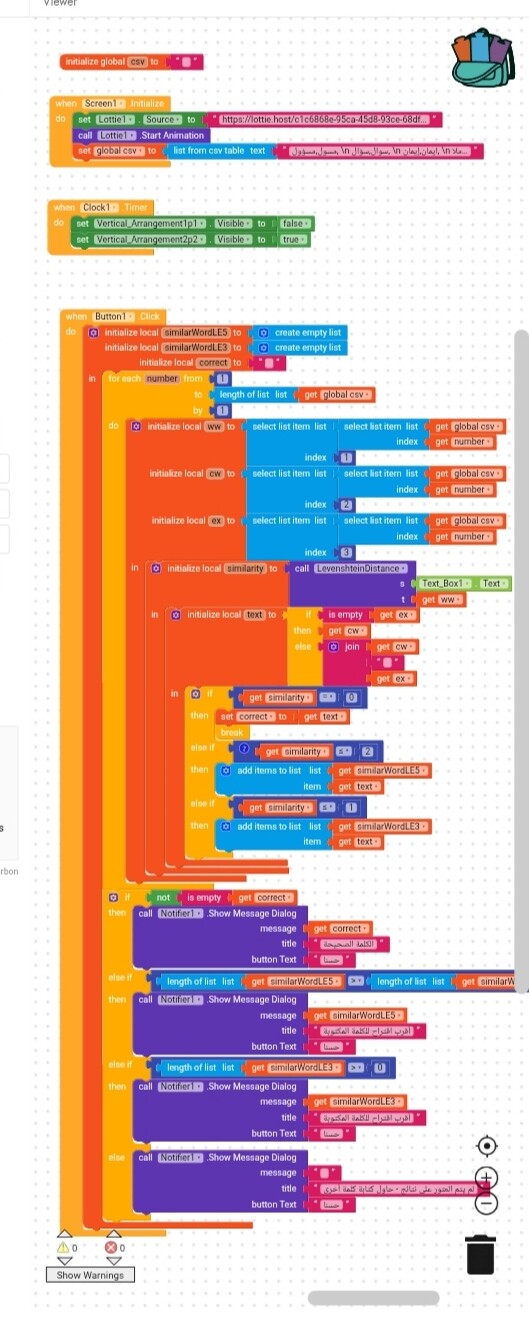
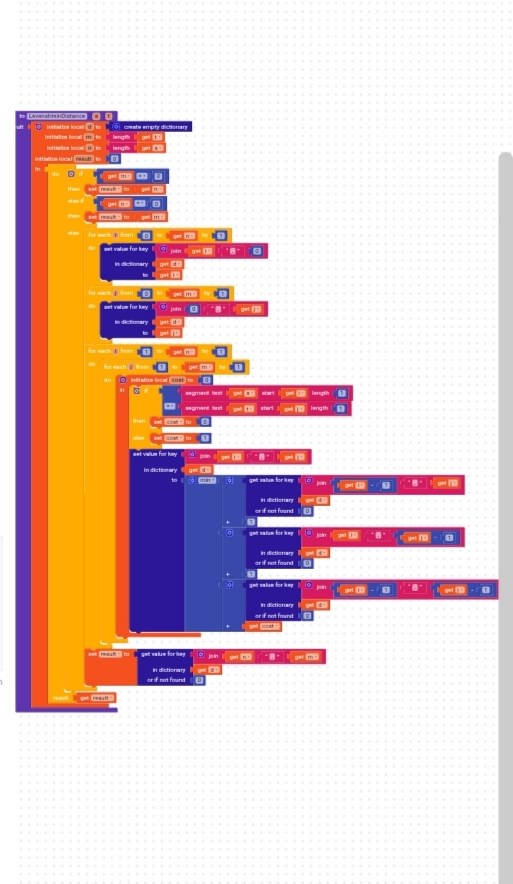
I tried that, but it didn’t work. The Kodular website shows two errors related to the SubmitBtn. This might be because I created a large block for the same button—the one I sent you before, which contains the execution commands—and the other block you suggested to add.
Should these two blocks be merged together? And what should the order be?
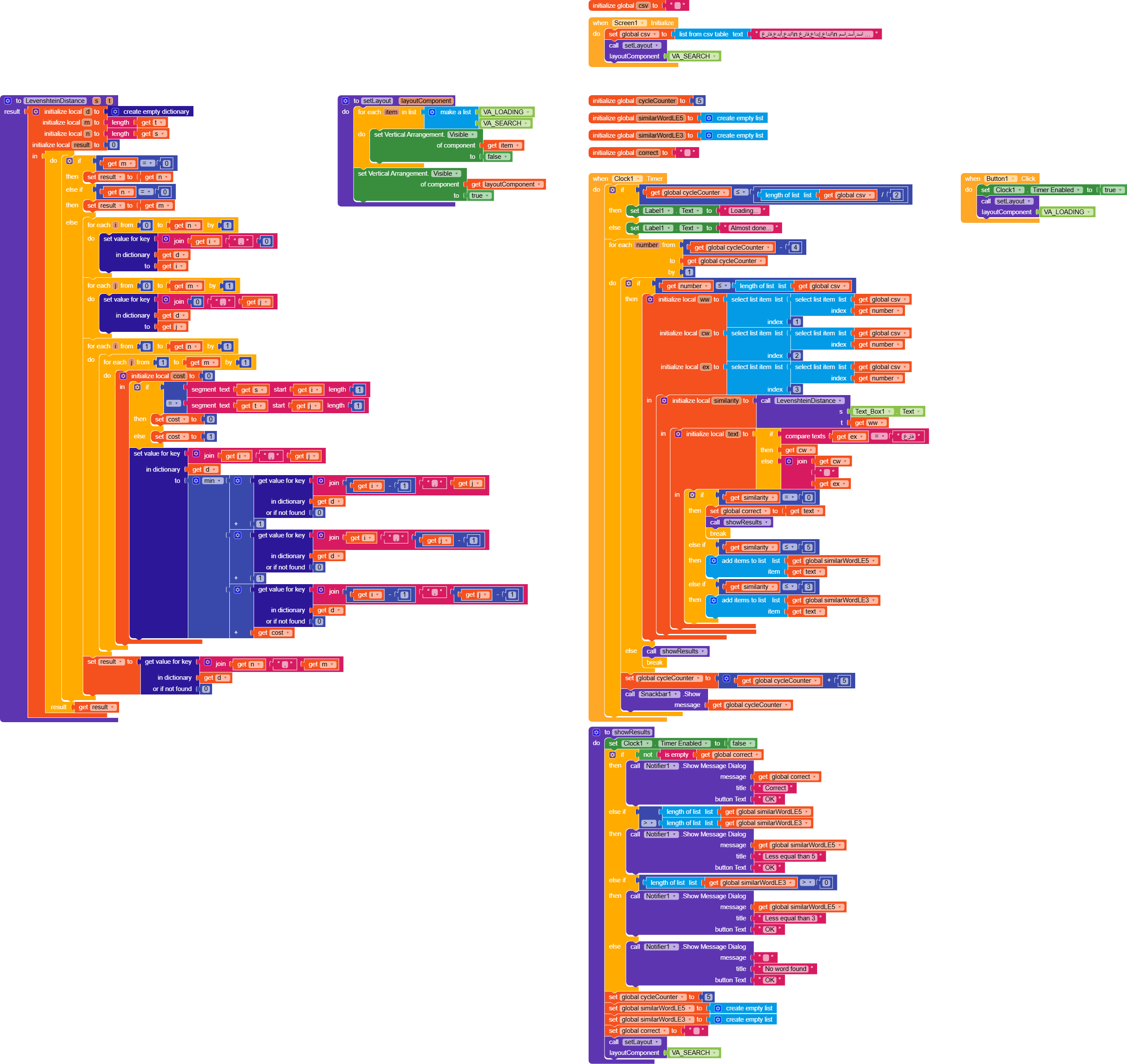
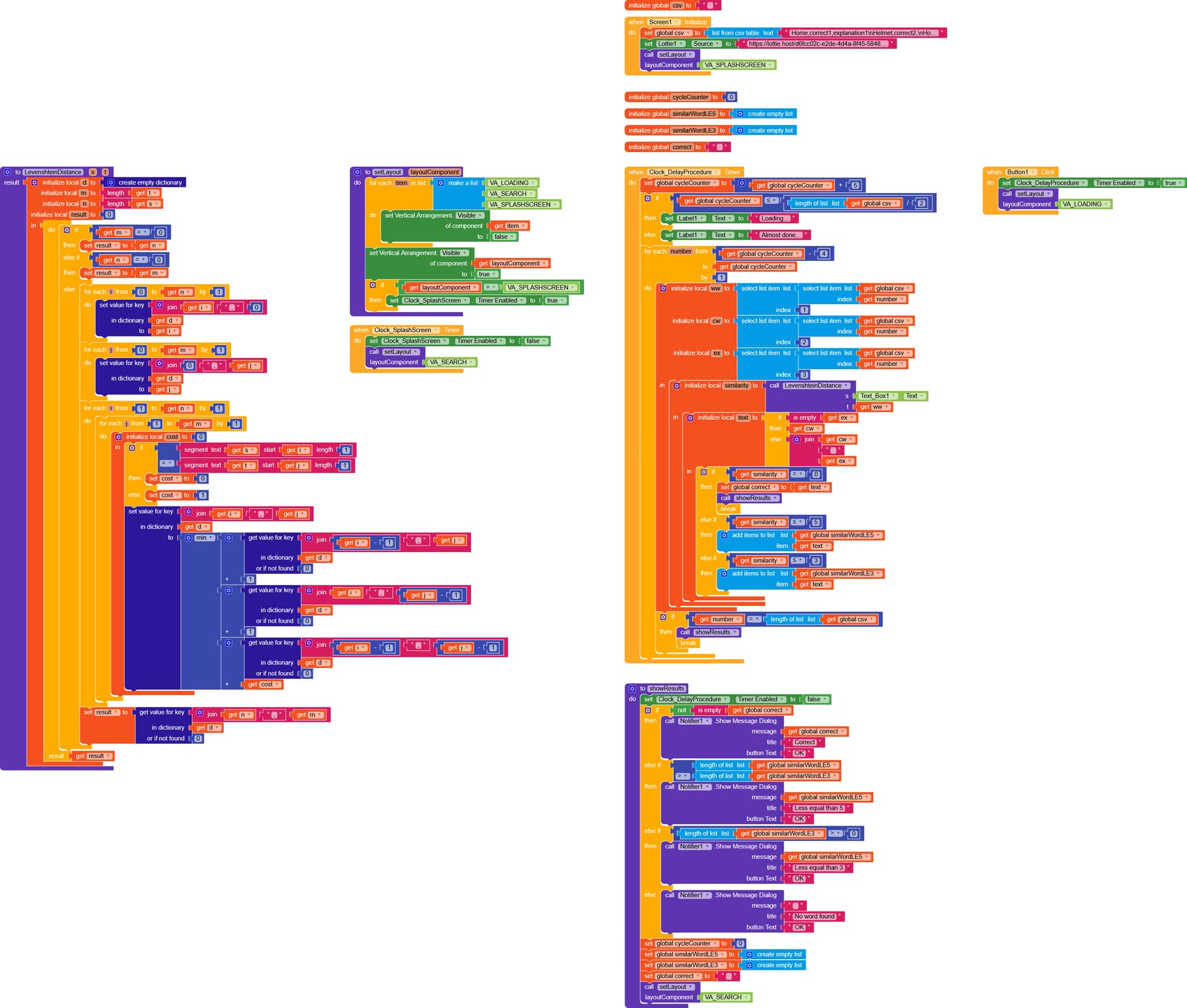
Since the app freezes as soon as the function is executed and stays frozen until it finishes, I created a timer to process the data every so often, in this case every 1 ms.
Doing it this way, however, required at least 700 ms (one millisecond for each item in the list), so I added another counter that processes 5 items every tick of the Clock.
This makes it possible to have a loading screen that updates as the elements are being processed (before, during the freeze, even if you changed the text of a label it would wait for the control procedure to finish).
Right now I set it up so that it starts with the text “Loading…” and when it gets halfway through the list it shows “Almost done…”.
It’s a bit more complex than before, but as always, if you have any questions just let me know.
I honestly don’t know how to thank you — you’ve helped me so much.
I truly appreciate it, and thank you again for your support.
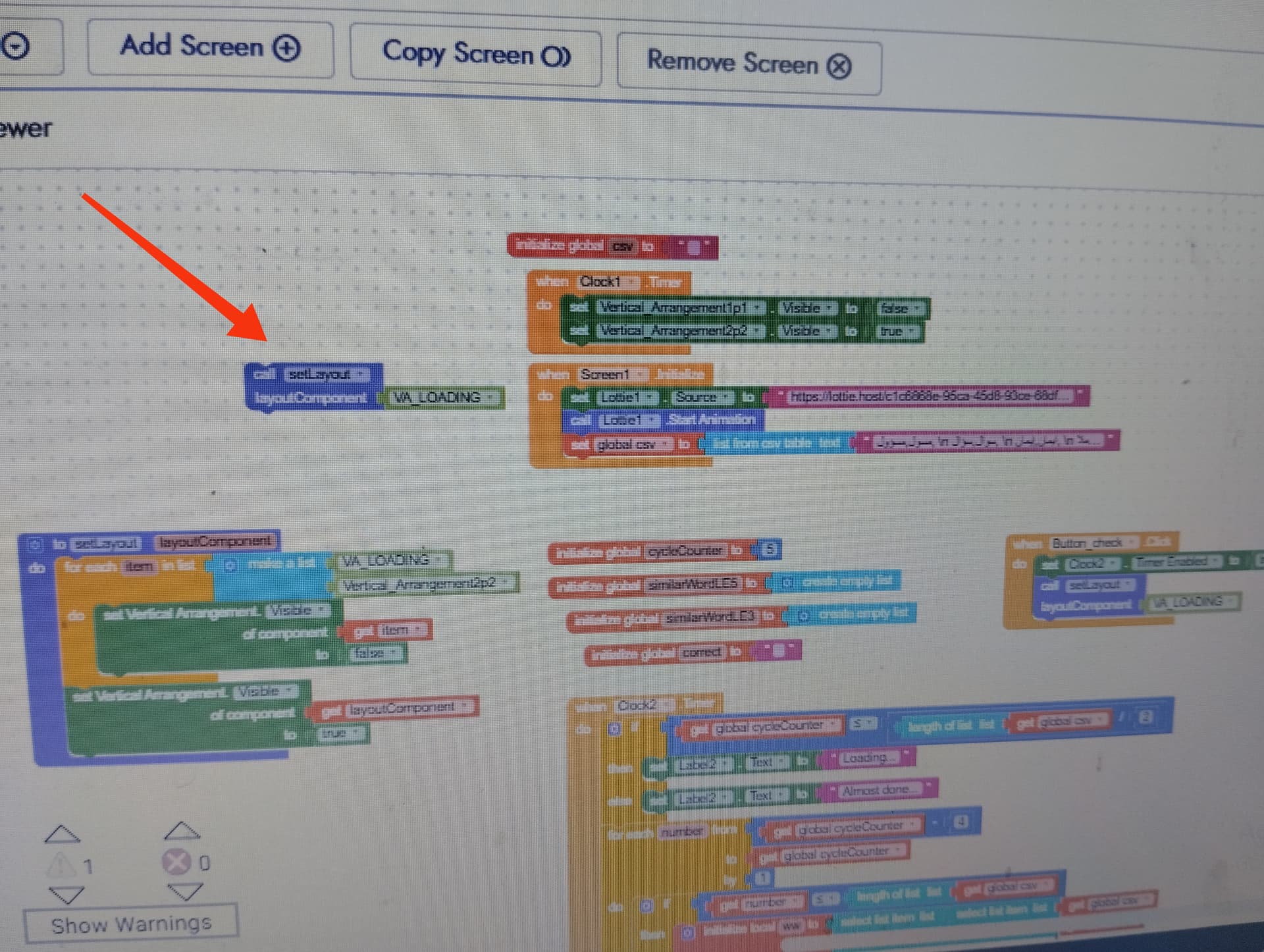
I followed your advice, but in my version, on screen number one, I show a Lottie animation for a few seconds as a splash screen. Because of that, I couldn’t place the block shown in the picture anywhere. I tried using it with all the blocks, but it kept giving me an error. Do you have any suggestions to solve this issue?
The second problem I’m facing is the counter that appears at the bottom while searching for the word. Is there any way to hide it so the app looks nicer?
And honestly, you’ve helped me a lot by creating all these blocks in Kodular for me — if there’s any way I can thank you more, please let me know.
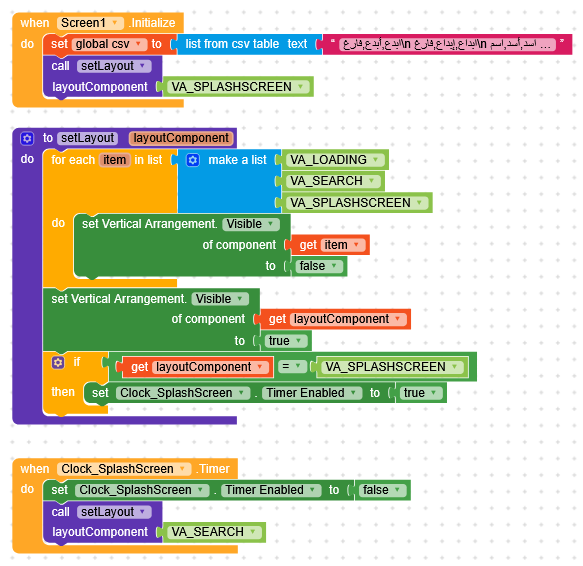
Try it like this, (which is even better)
at least when you call setLayout(VA_SPLASHSCREEN) the timer is activated automatically and you don’t even need to enable it manually.
Why isn’t the Lottie URL present, and where am I supposed to put it? The Lottie URL is the link to the animated illustration I want to display. And in the new codes, when I try to search for words that are already in the CSV, they don’t show up even though they’re actually there — it keeps saying they’re not found. Thank you in advance.
Put the Lottie inside VA_SPLASHSCREEN (there is no need to use Lottie.StartAnimation), and sorry, I forgot to add it in Screen.Initialize.
since I already made the changes and it costs me nothing to send it to you here the updated version with the changes, but I didn’t touch the procedure that checks the words and it works correctly for me. NoorProjectFinal.aia (12.8 KB)
Thank you so much — I really appreciate your help; you’ve helped me a lot.
Now there’s another issue: when I add a list, no matter how many words it contains, some words don’t appear in the search results even though they actually exist. I have no idea where the problem is coming from.
Keep in mind that I changed “فارغ” and removed it because I made the whole list empty without adding the word “فارغ”, and everything was working perfectly with the previous codes you created for me.
But now I just don’t know what’s causing the problem.
Do you have any advice?
Yes, I do remember that, but when you gave me the blocks that included adding the word “فارغ,” I had already reused the blocks without it, and they worked.
So I didn’t use the blocks that contained “فارغ,” and I didn’t add the word “فارغ” to my word list. I just didn’t get the chance to tell you that.
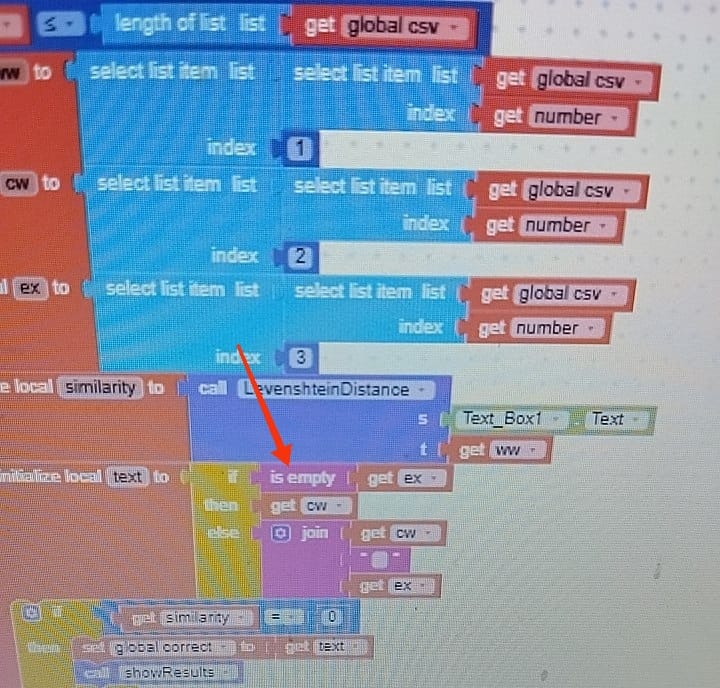
Right now, I’m using the last file you sent me, but since I never added the word “فارغ” to any of the entries in my list, I used those last blocks but removed the “compare text = فارغ” part and added “is empty” instead, as shown in the picture.
However, as I mentioned before, some words show up when I search for them while others don’t, even though they are right there along with the same group of words. I’m not sure what’s causing this issue.
Thank you so much, I really appreciate your help.
I actually have a small issue I’m still facing.
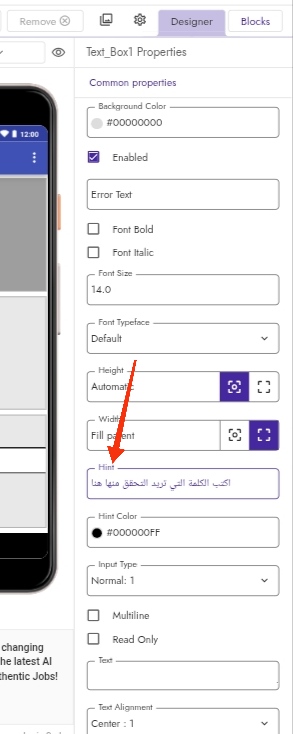
The TextBox hint doesn’t appear when the app starts, even though Visible and Enabled are both set to true and the Text property is empty.
If you have time, I’d really appreciate your help with this as well.