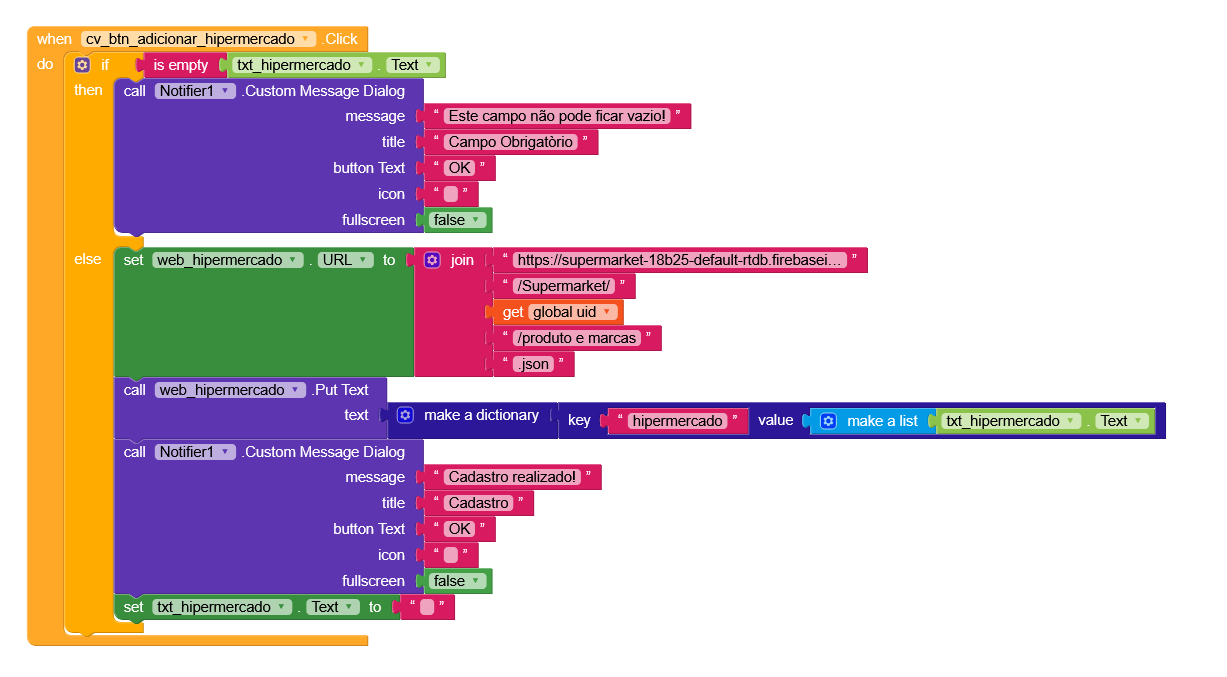
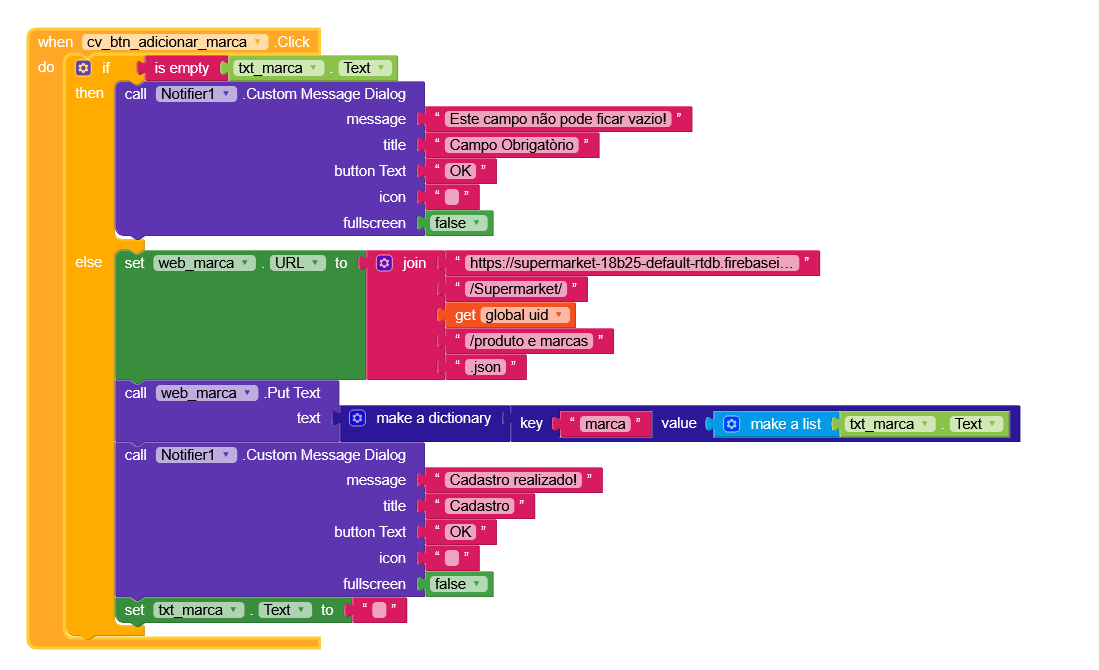
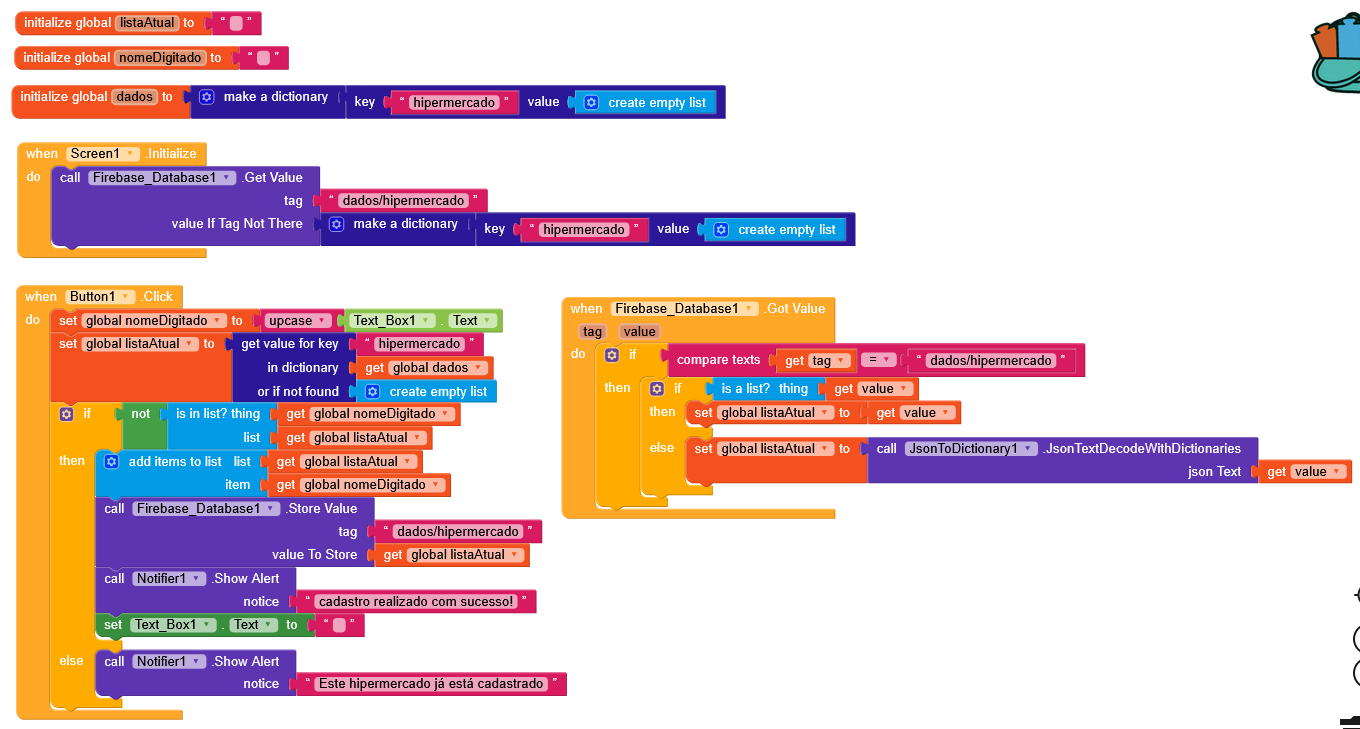
I just noticed you were showing your database name, I’ve hidden it
I see that you’re already using the web component to fetch the data, you’re really close to fully using Firebase with the web.
The thing is, the data you have isn’t formatted correctly, if you managed to save it properly, everything would become much simpler.
Gianluca, when using Niotron and faced difficulties using Firebase on that platform, I used the web component to register.
Since Firebase works with Kodular, I didn’t encounter any problems, so I didn’t need to use the web component to register.
I think it’s an excellent feature, but registering personal data requires some changes (updates). I read about it, but I didn’t understand how to make changes to the registration.
For saving simple tags with text, it’s perfect, but once you start working with lists and dictionaries, that’s where the problem begins.
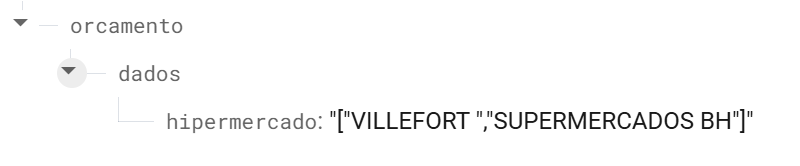
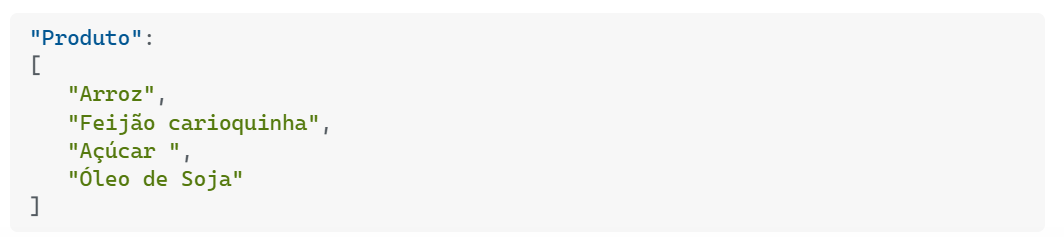
In fact, if you look at your data, it isn’t structured, it’s just plain text.
"Produto": "[\"Arroz\", \"Feijão carioquinha\",\"Açúcar \",\"Óleo de Soja\"]"
You could use a single web component to perform any kind of operation, but let’s say it’s not a big problem.
I’d say that’s perfectly fine,
“numero” is being treated as text, if you notice, it’s between quotes, whereas it shouldn’t be if it’s just a number. But that’s not really a problem either.
Yes, but it overwrites another value. For example, hypermarket. When you type Villerfort, it becomes:
0: “Villerfort”
When you include another name, such as Supermercados BH, it overwrites:
0: “Supermercados BH”
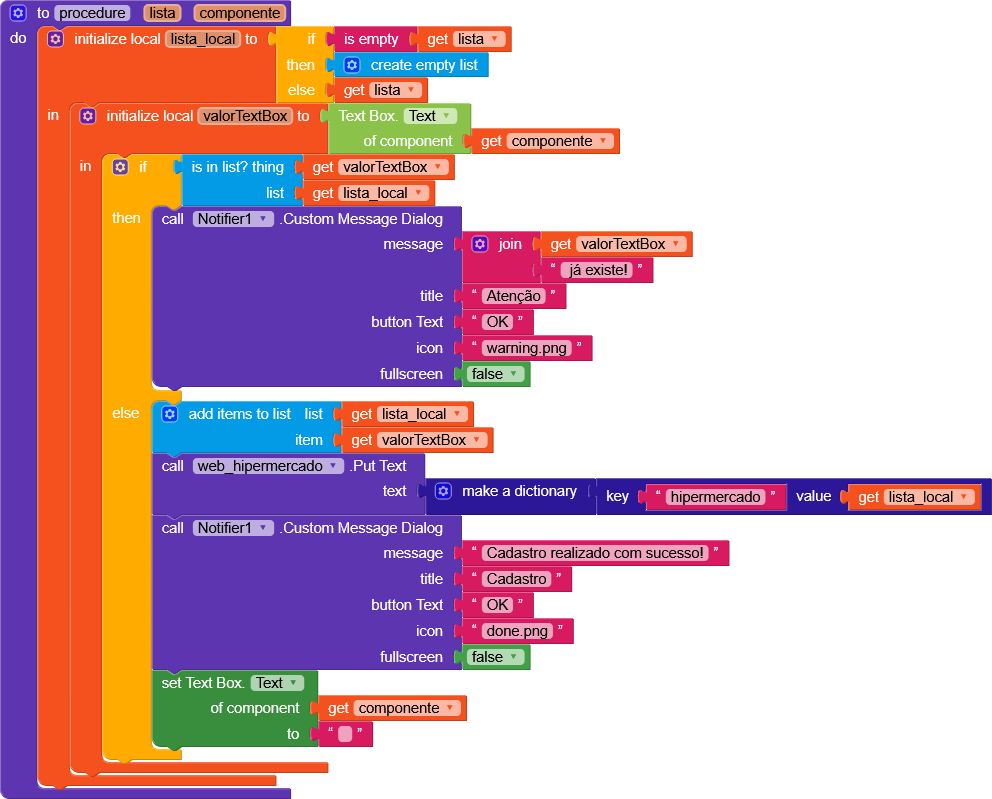
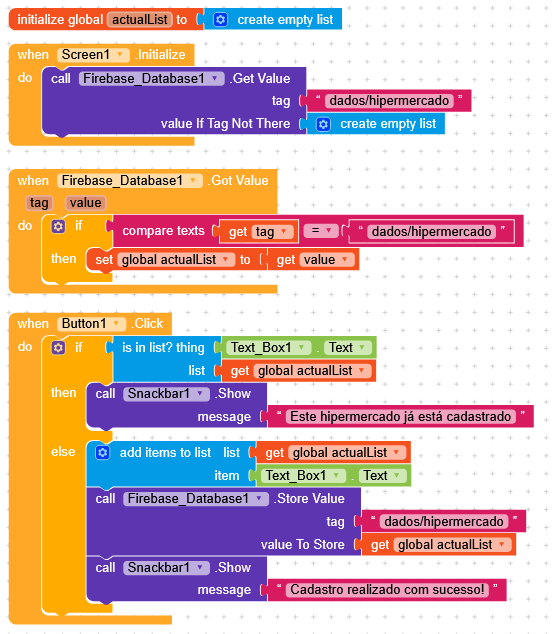
I think there should be a validation event where, when entering a new supermarket, product, and brand, it would check if it already exists. For example, if supermarket “X” already exists, it would include “Y” on the next line. Or, if the user tried to enter “X” again, the app would inform them that a supermarket with that name already exists.
The Firebase component can be used to do this, but I don’t know where to start with this web component.
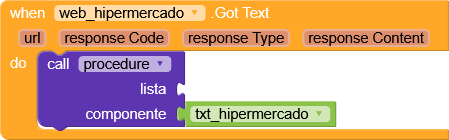
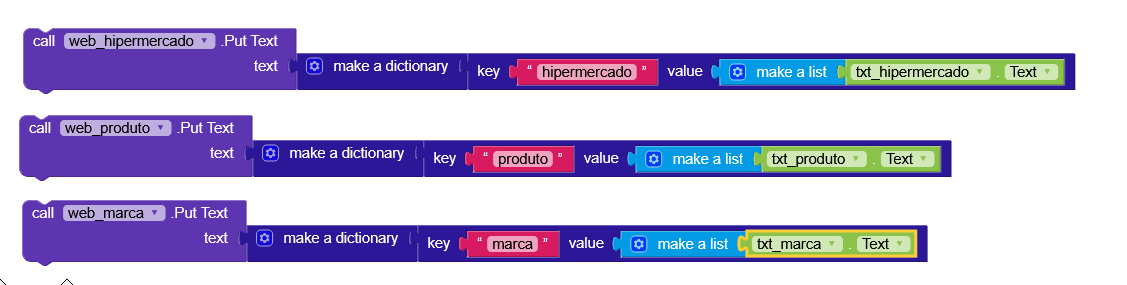
Get the list, save it in a variable, and send it back with the new element added.
A list is simply a dictionary with keys (0, 1, 2, 3, 4), so you can also send a dictionary pair with the key as (last list index + 1) and the value as the item you want to add.
For this, I think an is in list is enough to check whether the data is present.
But I don’t really prefer this method.
Unless the user is writing in a field that only they can edit, there’s a risk that other users might have different versions of the lists and end up overwriting other users’ data when they send their own.
 I just noticed you were showing your database name, I’ve hidden it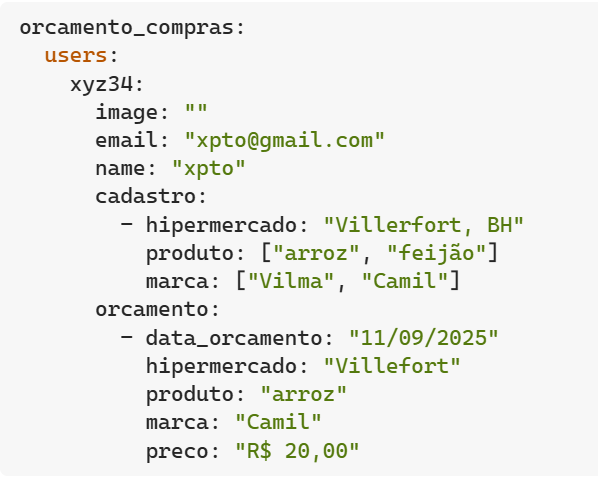
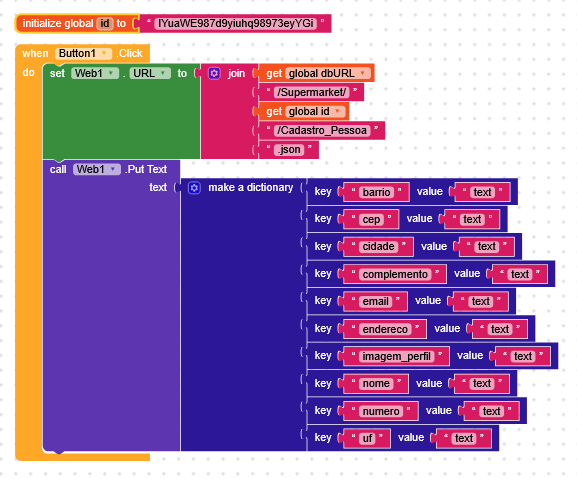
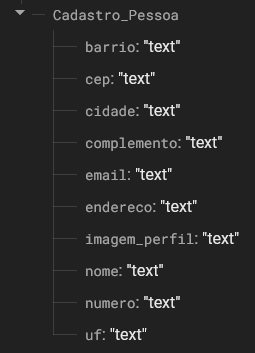
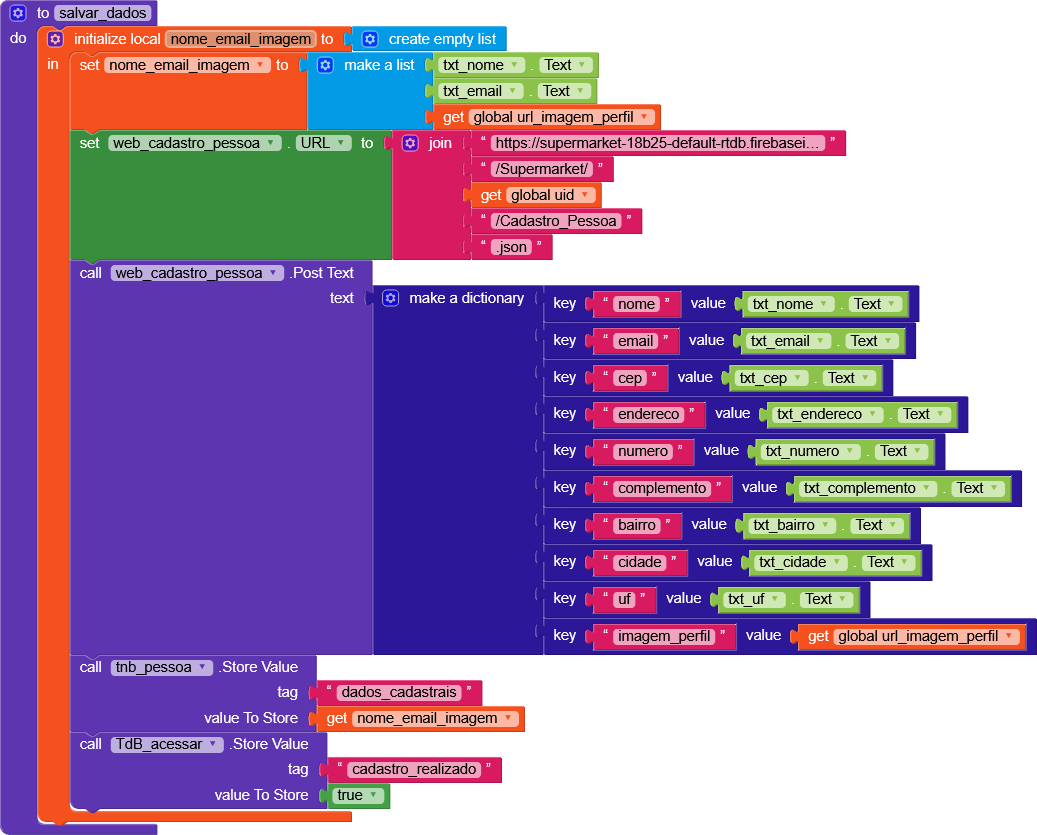
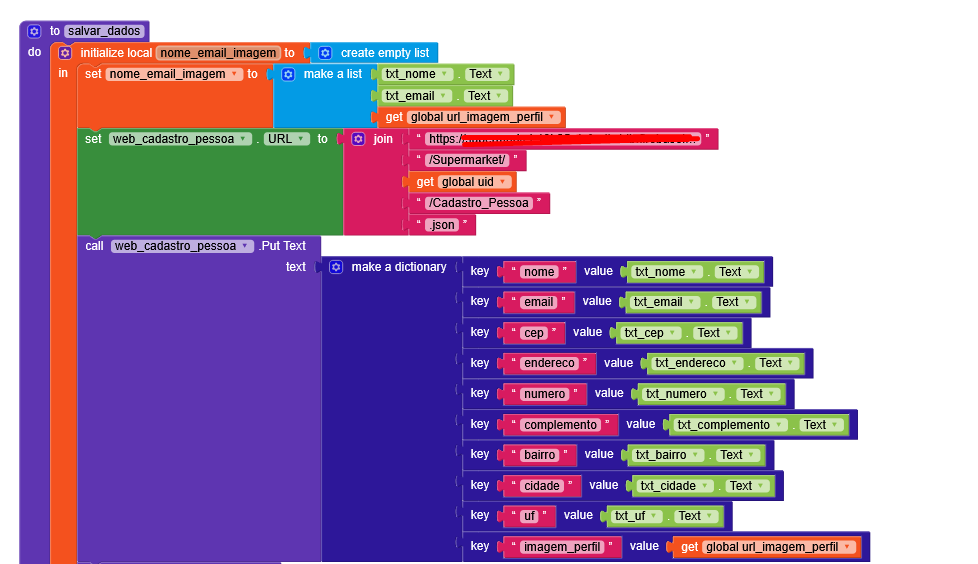
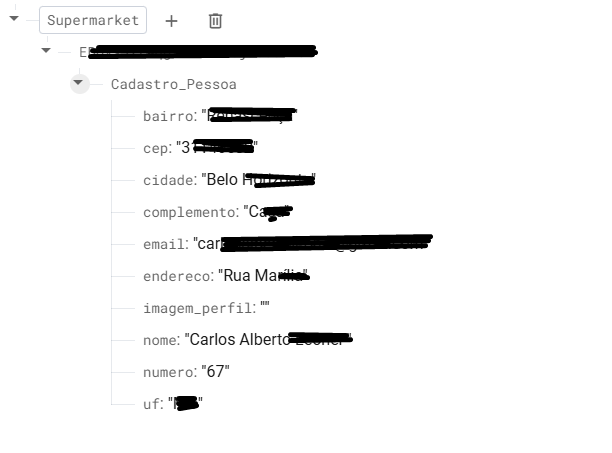
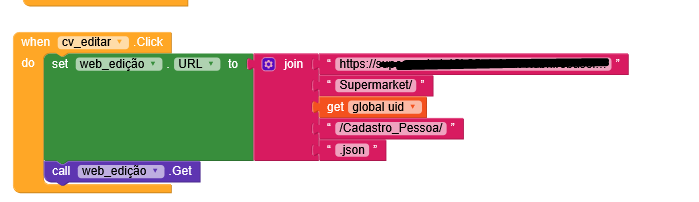
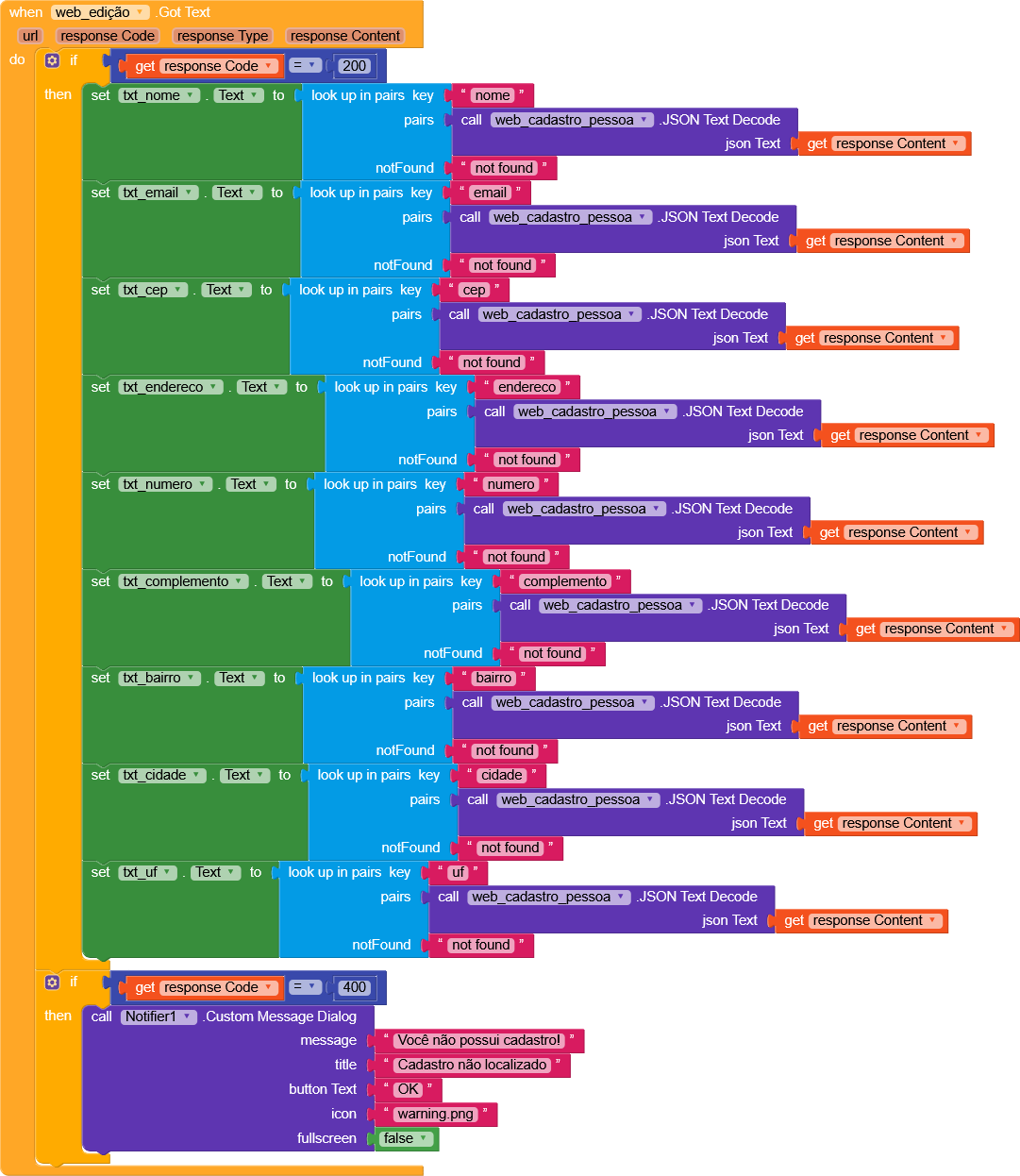


 “numero” is being treated as text, if you notice, it’s between quotes, whereas it shouldn’t be if it’s just a number. But that’s not really a problem either.
 , have you tried?