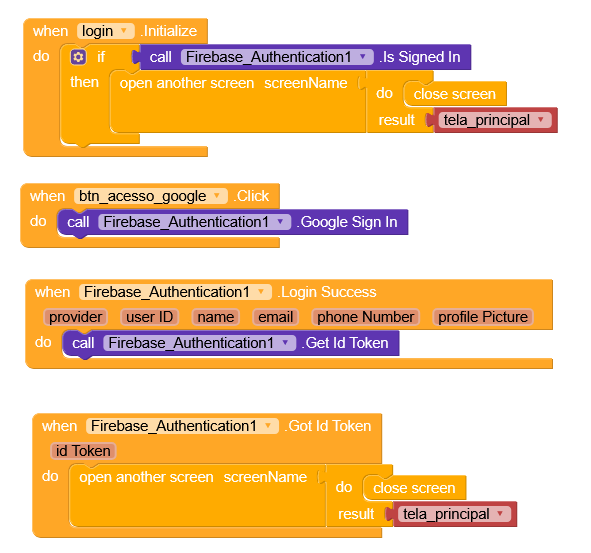
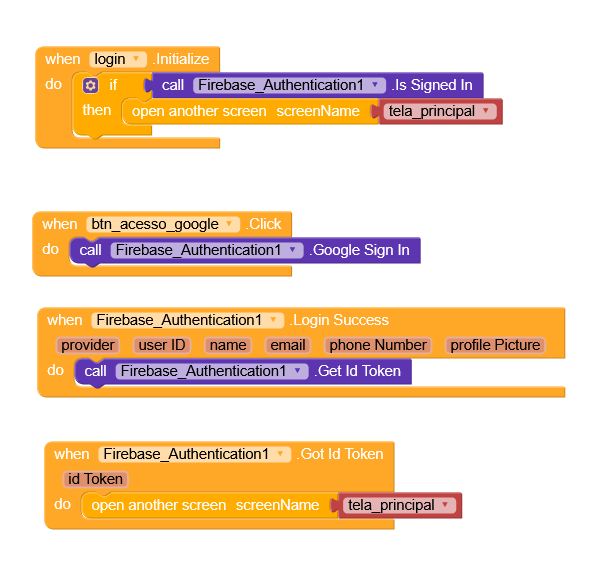
On my login screen, I only have one button to log in with my Google account.
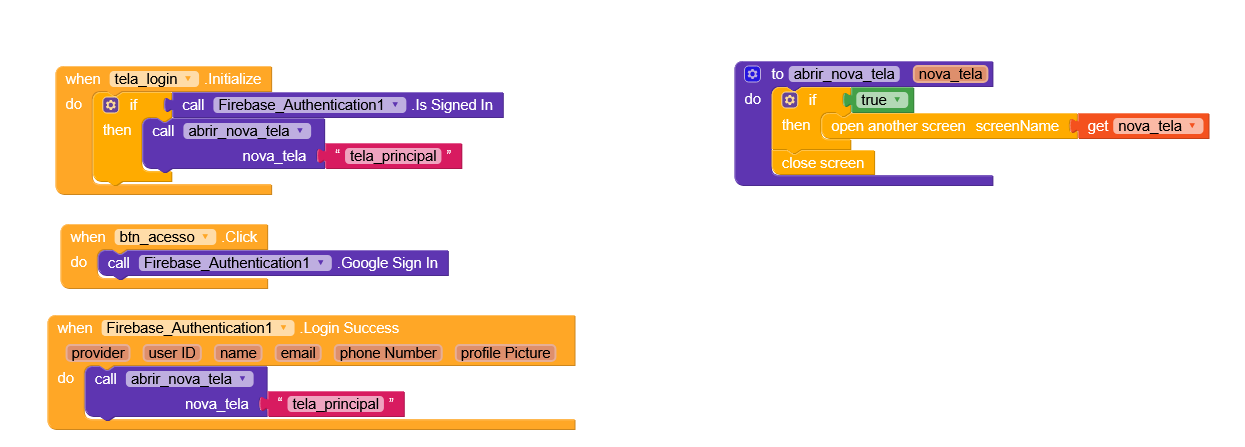
Blocks I used:
Login:
The home screen checks whether the user is logged in. If so, they are taken to the main screen.
Once logged in (Google Sign In), the Login Success block displays the user’s Get ID Token, and the Got ID Token section redirects them to the main screen:
Main Screen:
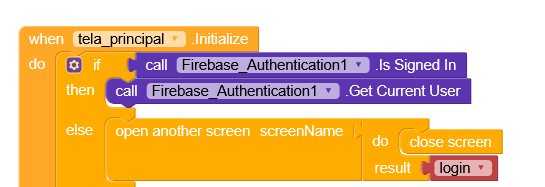
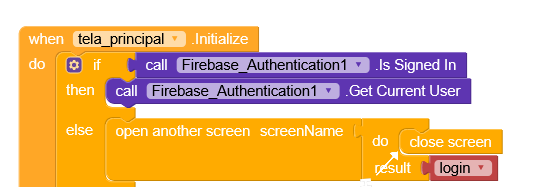
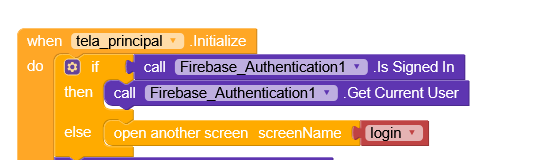
On the main screen when it boots, I check again to see if the user is logged in. If they are, I get the Get Current User message. If not, it returns to the login screen.
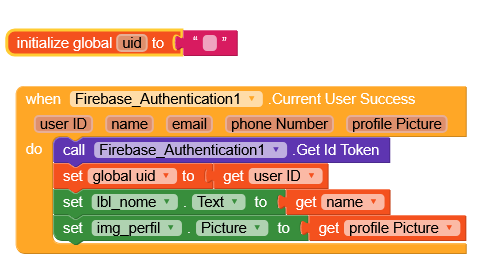
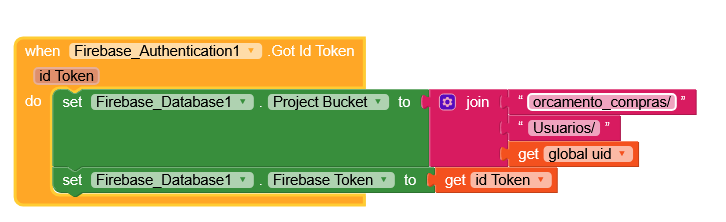
Create a global variable uid and in Current User Success I obtained the Get Id Token, then I associated the global uid with the User ID, lbl_nome with get name and img_perfil with get profile Picture
I downloaded the APK. When I click the Google button, it closes automatically. If I log in a second time, it does the same thing.
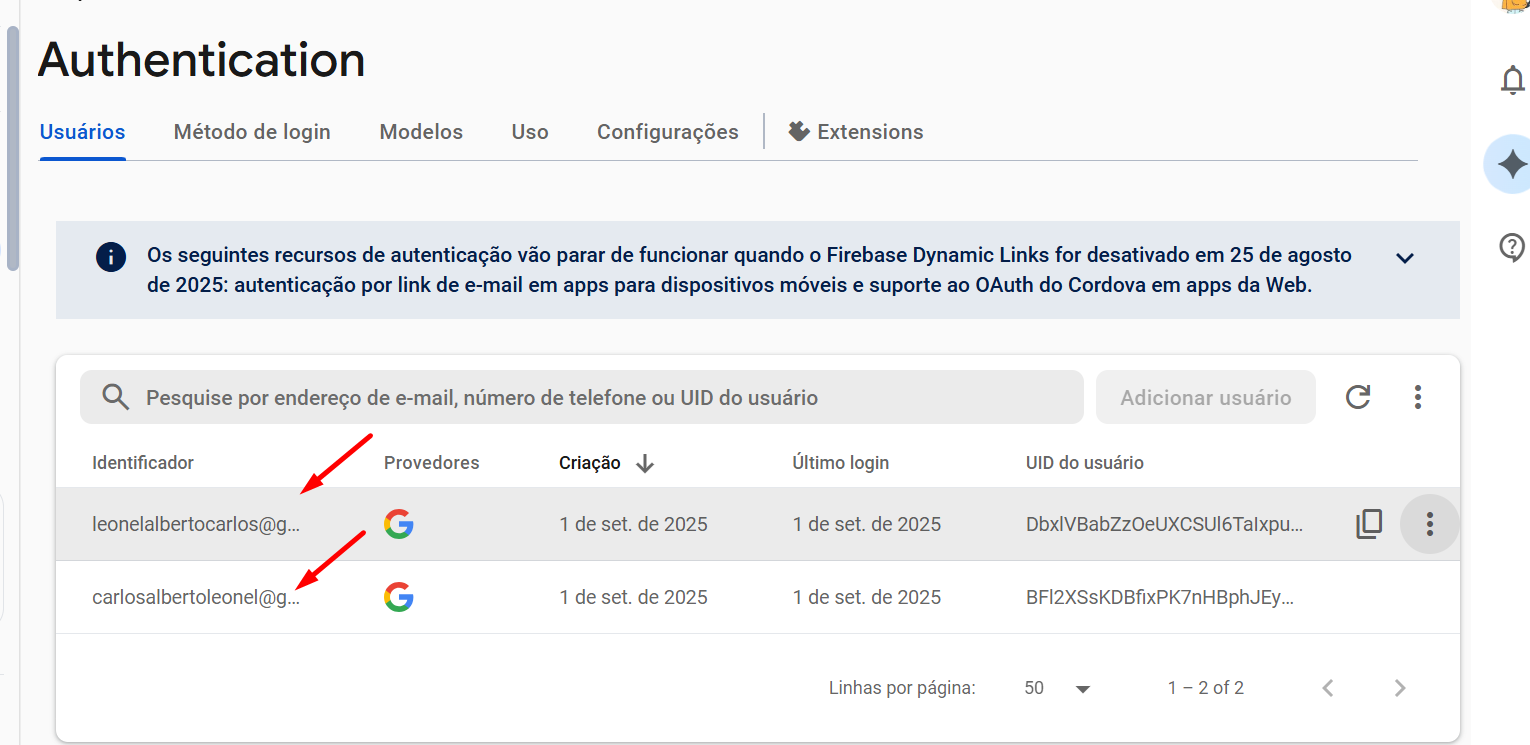
I checked on Firebase and the accounts were authenticated
It’s normal Firebase behavior, after logging in once, the account stays saved on the phone, and you don’t need to sign in/up again, but instead check if the user is already logged in and retrieve the data if so.