Dear Kodular Community,
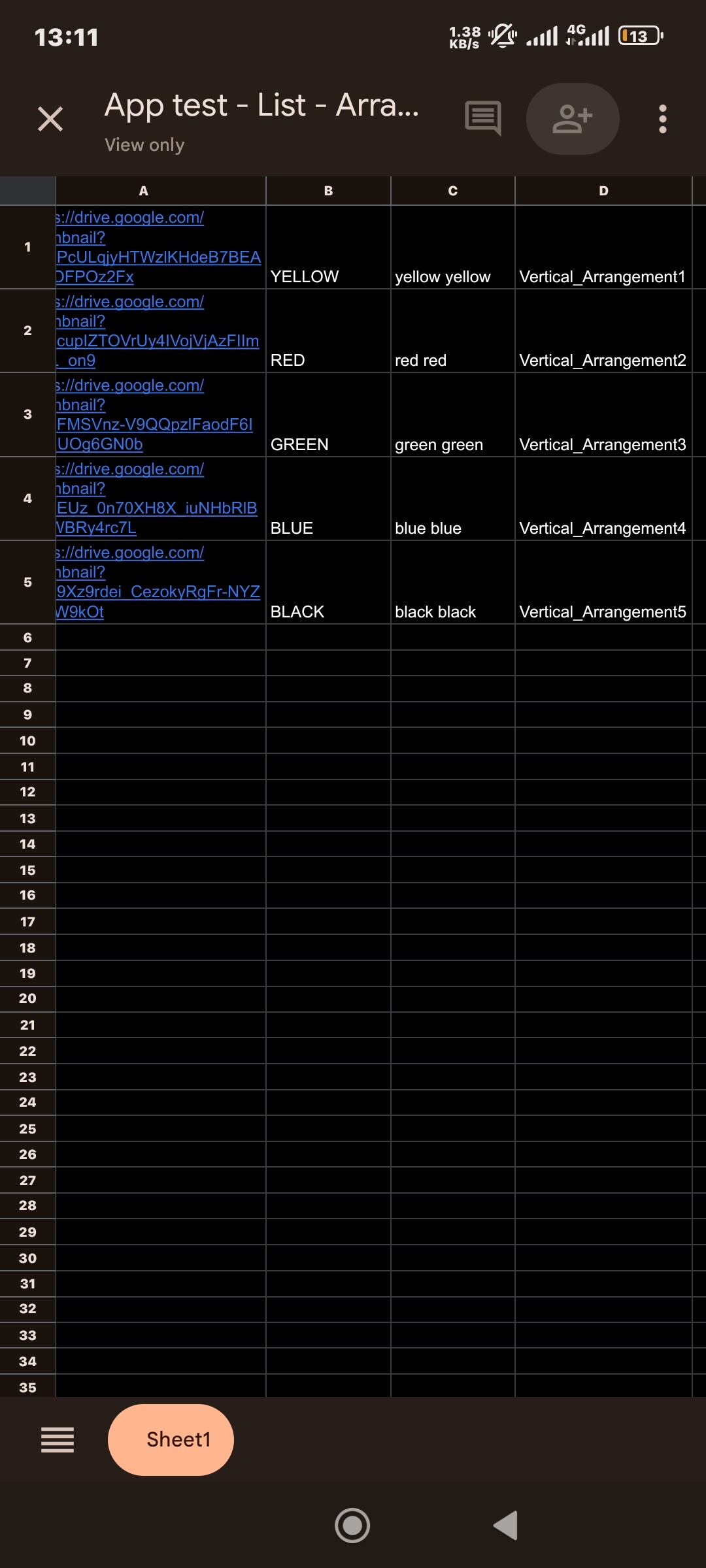
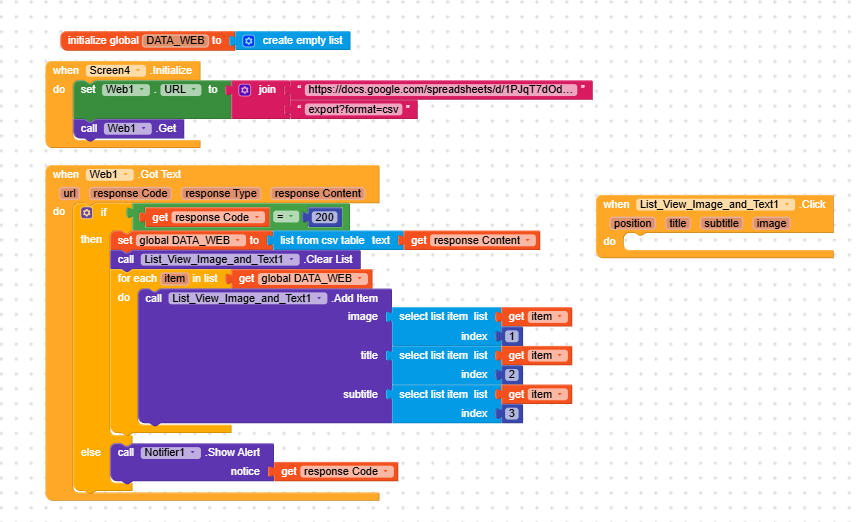
I have a Google Sheets file that contains an Image Link, Title, Subtitle, and the name of a Vertical Arrangement. My app loads this data into a ListView Image & Text component.
What I want to achieve is: when a user clicks an item in the list, the specific Vertical Arrangement mentioned in the sheet should become visible.
I don’t know if it’s possible with list, image and test only, since the listview will not give you the whole data. Recommend you to use Recyclerlist extension, this will give you the all Raw data, eg index 1 to even 20, then you can compare with the clicked values, eg
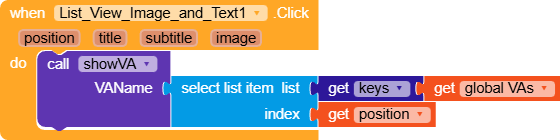
If select item list list index 4=vertical arrangements 1, then set vertical arrangements 1 visible to true
You can get the Recyclerlist here with a special guide
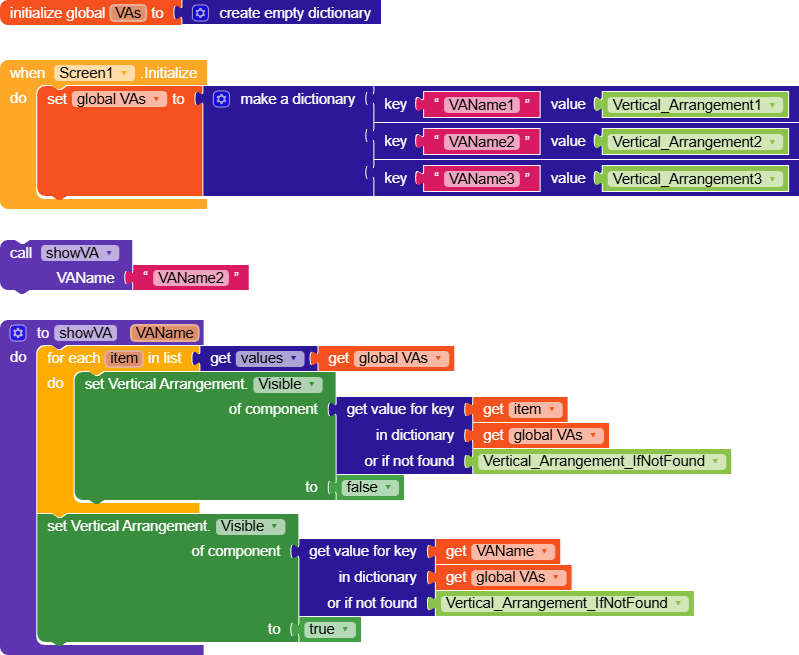
Sure, by creating the dictionaries we are giving names to the components (like the unique IDs of RecyclerList and DynamicComponent).
Then, through the procedure, we will get the vertical arrangement using that name, making Kodular understand which component it is.
I do not think you need to use different arrangements. our suggestion is just clear the existing design then recreate the design based o the user clicks. that will be valuable and be the smart work.
OR try this method.
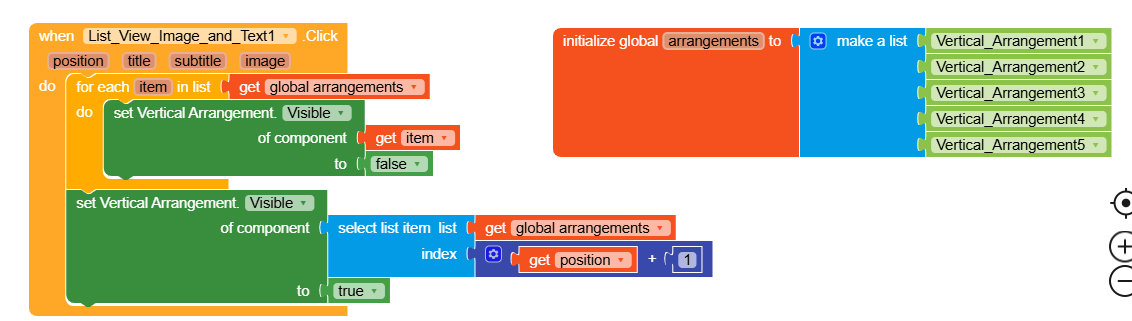
Set visibility condition to all the arrangements to false, then try this blocks.
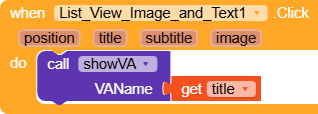
The listview give only 4 items, position, title, subtle and image, while the arrangements names are in index 4 in the Google sheets. How the the index 4 retrieved in listview it gives 3 item from the data?
I can assure you that this works with the data shown
It’s also correct this way, but let’s say you no longer have manipulation through the Google Sheet, since you’re defining the positions directly in the app.
Still, it’s the simplest way to do it.
In fact, I can’t find a practical application for the requested functionality

 which can take 8 hours, I hope someone will step in and help