through firebase storage I am storing audio files. When I go to call them from my app it always plays the last audio file I have stored. But if I open the file from Firebase Storage it plays the correct audio. Can you help me please? Thank you
hello
help , after uploading image to fire base storage ,return error
[ User does not have permission to access this object ]
my rules :
service firebase.storage { match /b/{bucket}/o { match /{allPaths=**} { allow read allow write; } } }
thanks for helping me. 
Set them like this
rules_version = '2';
service firebase.storage {
  match /b/{bucket}/o {
    match /{allPaths=**} {
      allow read, write;
    }
  }
}
1 Like
Read This I created a topic Regarding Same Issue. Here it is solved
I got also this error and my rules are:
rules_version = ‘2’;
service firebase.storage {
match /b/{bucket}/o {
match /{allPaths=**} {
allow read;
allow write;
}
}
}
How could I solve this problem?
Thanks
If i set upload for user, how can i setup block to get uploader?
Whats up with this error? I’m encourtering this as soon as I add firebase storage component to my screen without working on blocks yet. If I remove it, the error is not coming.
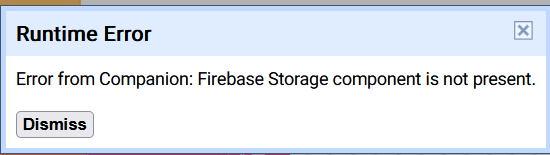
Can you please do one thing at a time?  Is the post about Cloudinary solved?
  Also if you are going to firebase there’s no free 5 GB without add your working payment method, are you aware of this too?
I think you are confusing someone somewhere 
Have you already tried it and it’s didn’t work?
Ah, hahah bro actually i;m working on a project and working at very fast pace. If things doesn;t work with one, I move to next until I found fix for first. I’ve been encountered issue on both so been trying to fix both. I will try the web component method shortly for cloudinary and for firebase I think it doesn;t work with companion so I’ve to compile APK everytime and test it.
Am confused somehow there’s a lot of tutorials about Cloudinary even workaround, let me ask you this, why exactly are you struggling to upload files without API key etc and choose to upload using this method if you needed fast solution? Can you explain more about what’s your goal is and what your planning to bypass or something
Below is the reason I dont want to use API secret for image upload. If I can upload the media with simple HTML code, then why these extension asks for API and Secret Key to work with Cloudinary. On the otherhand, Firebase storage might work, but since I’ve lots of data to test, it isn’t smooth if everytime I need to install APK for testing.
