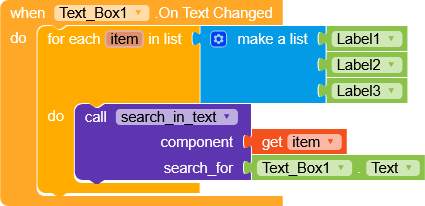
I am building an app where I have several Labels (Label1, Label2, Label3, etc.) each containing some text. I want to add a search function so that when a user types something in a TextBox, only the searched text should be highlighted.
So far, I have:
Added multiple Labels with different text values.
Added a TextBox for entering the search term.
Added a Button to trigger the search.
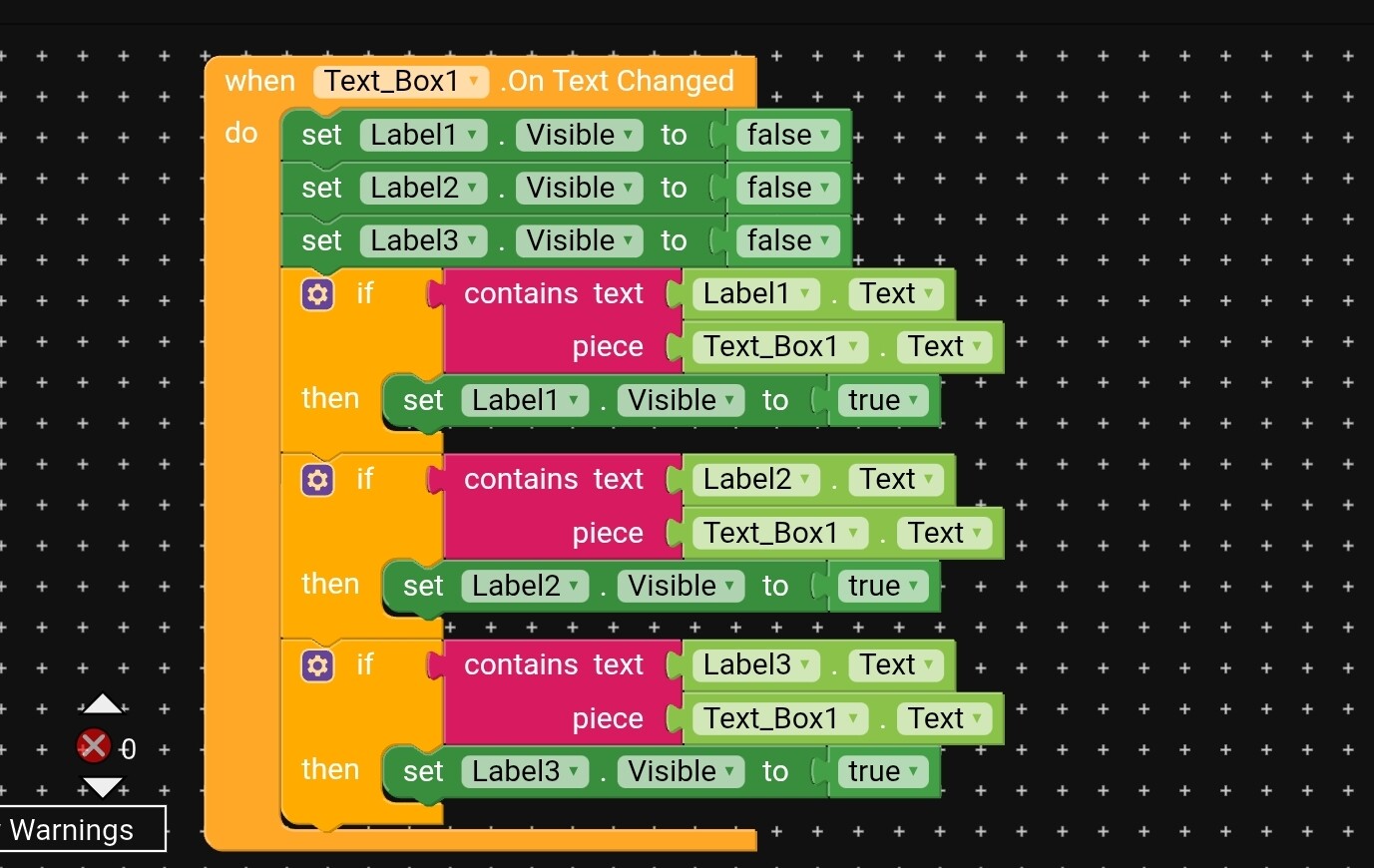
I am not sure how to loop through all Labels and filter them based on the search text.
Can someone guide me with the correct blocks for this? Should I create a list of Labels and then check each one with contains?
Any help with example blocks would be greatly appreciated.
Instead of manually adding Label1, Label2, Label3..., it’s better to use dynamic components.
That way you don’t need to hard-code each label name — you just keep all texts in a list, then dynamically create labels in a loop.
When the user types a search term, you just loop through the list of dynamic labels and check:
If label text contains the search word → change its TextColor or BackgroundColor to highlight.
Else → reset it to normal.
This approach is much cleaner and scalable compared to managing fixed Label1, Label2, Label3.
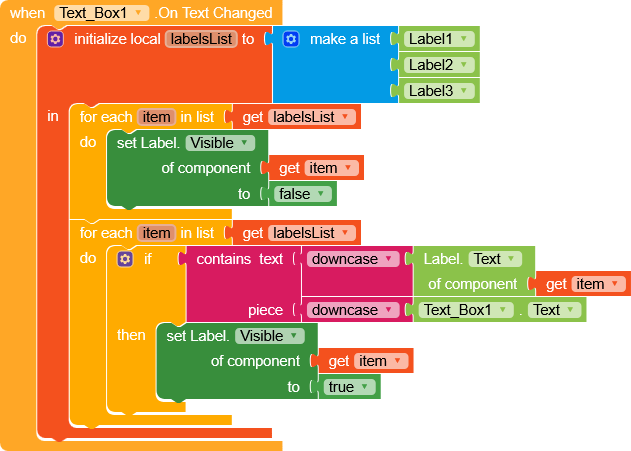
As you can see, I’m using the Any Label blocks, which are very useful in this case, and then in the second loop I check the text in lowercase so that any uppercase letters are ignored.
If you don’t intend to add more labels, you can avoid creating them dynamically, otherwise, I strongly recommend following what Ibrahim suggested.
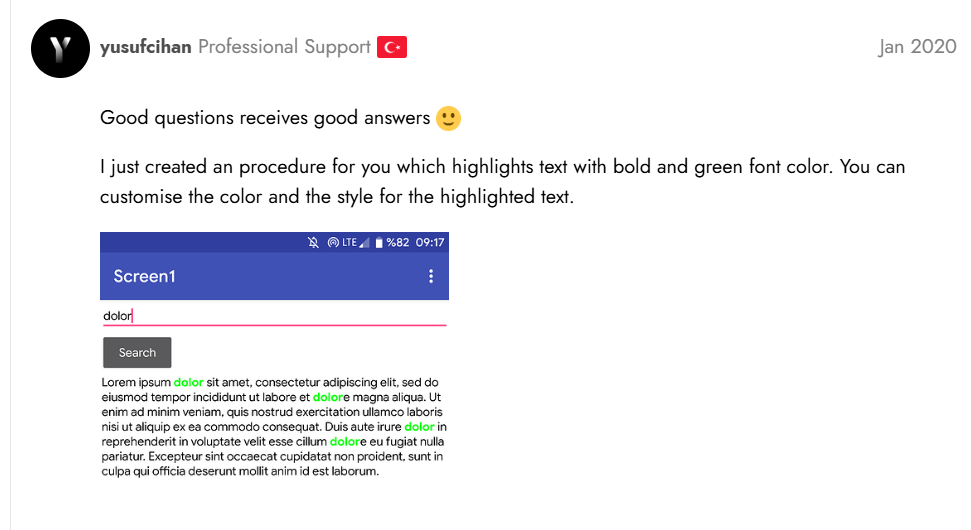
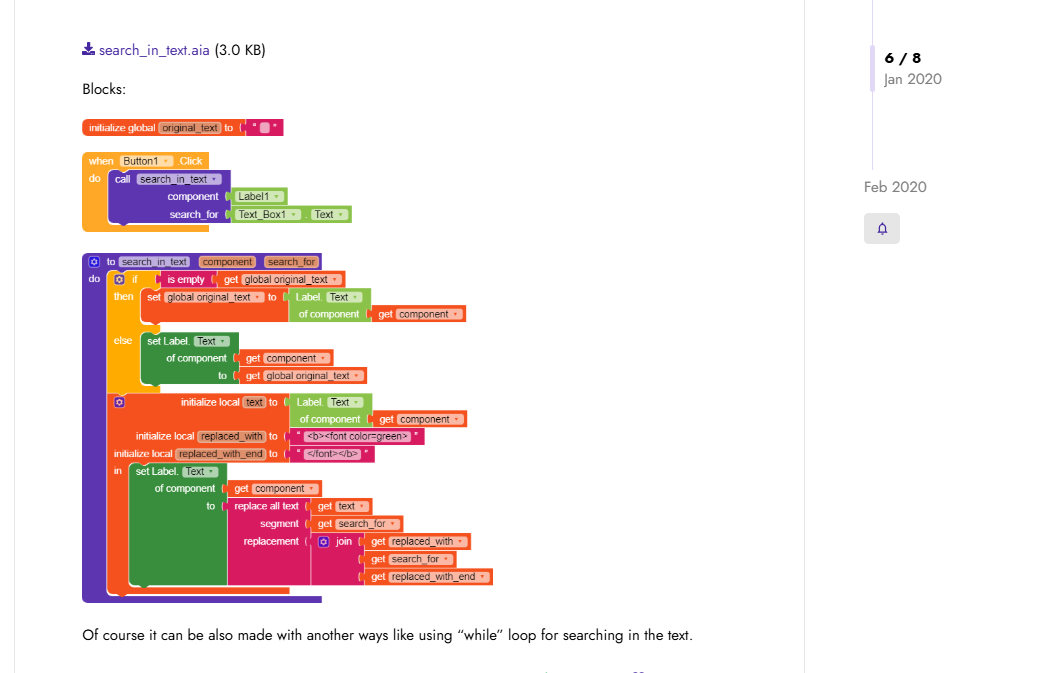
 . But let me help you with this question.